
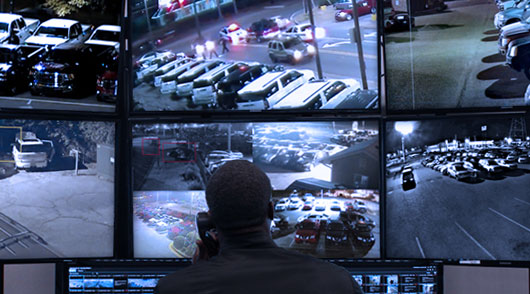
A virtual guard service may fit your business if you need stronger after-hours protection without paying for full-time on-site guards. You’ll usually get live camera monitoring, threat verification, and faster warnings at a more predictable monthly cost. It’s often a smart choice for retail, offices, warehouses, and construction sites with clear risk zones. The right value depends on your exposure, camera setup, coverage hours, and contract terms. A closer look can show whether it fits your budget.
How Virtual Guard Services Work
Because staffing a property with on-site guards around the clock is expensive, many businesses use virtual guard services to reduce risk without taking on the full cost of a traditional security team.
You rely on monitoring technology like cameras, analytics, audio, and motion sensors that stream activity to a remote operations center. When suspicious behavior appears, trained personnel assess the threat, issue live warnings, document events, and contact police if needed. Through security integration, the service can also connect access control, alarms, and intercoms so you get a faster, more coordinated response. This setup improves cost efficiency because you’re targeting coverage where risks are highest instead of paying for constant physical presence. It also supports service scalability, letting you expand protection across multiple sites, schedules, or threat levels without overcommitting resources.
What a Virtual Guard Service Costs
That flexibility only matters if the numbers work for your risk profile. Virtual guard service costs vary based on your site count, coverage hours, camera quality, response protocols, and monitoring complexity. You’ll typically see several pricing models, including monthly subscriptions, per-camera rates, and tiered plans tied to incident handling.
Virtual guard pricing depends on your sites, coverage hours, camera quality, and the level of response your risk profile requires.
- Site size and camera count
- Hours monitored each day
- Live intervention requirements
- Integration and setup fees
- Contract length and service levels
As you compare providers, focus on cost factors that directly affect exposure, not just headline rates. A lower fee may exclude audio warnings, after-hours escalation, or reporting. You should also check whether pricing includes equipment upgrades, analytics, and support. Clear line-item quotes help you control spending and avoid surprises later. Ask about renewal increases and overage charges.
When a Virtual Guard Service Is Worth It
In many cases, a virtual guard service is worth it when your main exposure comes from after-hours trespassing, theft, loitering, or perimeter breaches and you need faster intervention without the full cost of on-site staffing. It becomes a smart option when your cameras, lighting, and access controls already exist, but your response gap still leaves you vulnerable to losses, liability, and repeat incidents.
You should weigh the service through a risk assessment and a practical cost benefit analysis. If remote monitoring can deter events, verify alarms, and dispatch police faster than your current setup, it may reduce both direct losses and unnecessary guard hours. It’s especially worthwhile when incidents are infrequent but costly, or when you need broader coverage, better documentation, and predictable monthly security spending over time.
Which Businesses Benefit Most From Virtual Guards?
Which businesses see the biggest payoff from virtual guards? If you’re balancing risk against payroll, you’ll benefit most where threats are predictable, after-hours coverage matters, and losses add up fast. Virtual guards fit operations that need visible deterrence, faster response, and tighter oversight without staffing every post.
- Retail locations needing stronger retail security against theft
- Offices focused on office safety after hours and weekends
- Construction sites exposed to trespassing, vandalism, and equipment loss
- Warehouses where warehouse protection reduces shrinkage and blind spots
- Venues, event monitoring teams, and residential complexes needing broad coverage
If your property has multiple entrances, low overnight traffic, or recurring incidents, virtual guarding can stretch your budget while lowering exposure. It’s especially useful when you can’t justify full-time on-site guards everywhere every day.
How to Compare Virtual Guard Providers
How do you separate a strong virtual guard partner from a cheap vendor that leaves gaps? Start with your risk profile, then judge each company against it. Ask how they handle live monitoring, escalation speed, after-hours coverage, audio intervention, reporting, and system uptime. Strong provider features should reduce exposure, not just look impressive in a sales deck.
Next, make disciplined service comparisons. Compare contract terms, response protocols, staffing model, training standards, integration with your cameras and alarms, and support availability. Review sample incident reports and ask for performance metrics, not promises. You should also weigh total cost, including setup, monitoring, maintenance, and false-alarm reduction. The right provider helps you control losses, avoid hidden fees, and scale protection without paying for coverage your business doesn’t truly need.
Frequently Asked Questions
Can Virtual Guards Help Satisfy Insurance or Compliance Requirements?
Yes—like a town crier warning the square, virtual guards can help you meet some insurance and compliance expectations by strengthening monitoring, documentation, and incident response. You’ll still need to confirm your carrier’s and regulator’s exact standards, since requirements vary by industry and policy. As part of your risk management strategy, they can reduce exposure and support audits, while also delivering cost savings compared with relying solely on on-site guarding for your operation.
How Quickly Can Virtual Guard Systems Be Installed?
You can often have virtual guard systems installed within a few days to two weeks, depending on your site complexity, internet readiness, and camera coverage needs. Your installation timeline shortens if you already have compatible hardware. Basic system setup is usually fast, but multi-site properties or custom integrations take longer. To reduce security gaps and avoid surprise costs, you should request a site assessment, scope clearly, and confirm monitoring requirements upfront.
Do Virtual Guards Work During Internet or Power Outages?
Yes, virtual guards can still protect you during outages, but only if your system includes strong internet reliability measures and a dependable power backup. Without both, you’re exposed to monitoring gaps, delayed alerts, and higher loss risks. You should ask providers about cellular failover, battery duration, and backup generators. If you’re cost-conscious, focus on outage resilience first, because cheaper setups can leave you paying far more after a single incident.
Can Virtual Guard Services Integrate With Existing Alarm Systems?
Yes—often, you can integrate virtual guard services with your existing alarm systems, but the theory that every setup is plug-and-play isn’t true. You’ll need to verify system compatibility, monitoring protocols, and whether your cameras, sensors, and access controls support remote intervention. If you skip that review, you risk coverage gaps and false savings. Before signing, ask for a site assessment, integration roadmap, and clear cost considerations, including upgrade and maintenance fees.
What Training Do Employees Need to Use a Virtual Guard System?
You’ll need concise employee onboarding focused on daily operation, emergency response, access rules, and escalation procedures. Train staff to arm and disarm the system, verify alerts, use mobile or desktop dashboards, and report issues quickly. Prioritize system usability so employees don’t make costly mistakes during incidents. You should also run refresher drills, document permissions, and limit advanced controls to supervisors to reduce risk, misuse, and unnecessary expenses.