
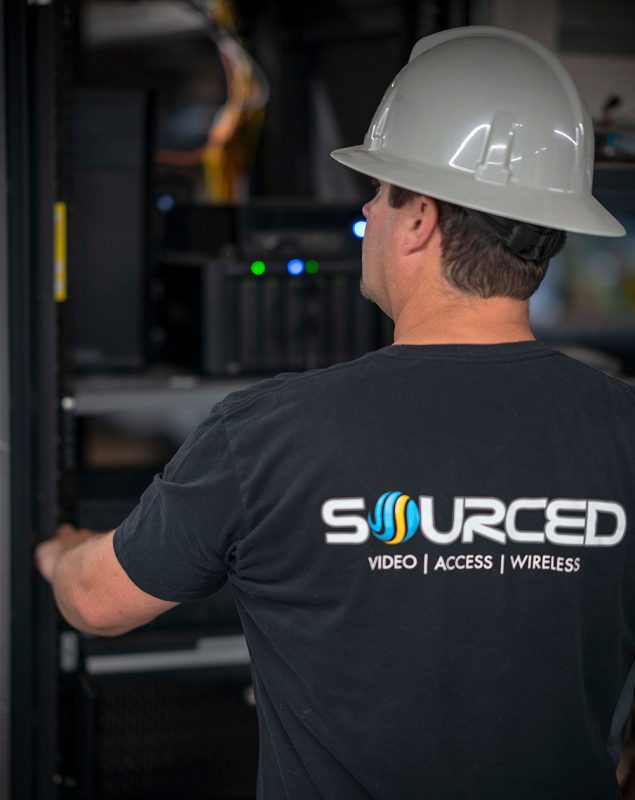
Before you hire a security camera installer, ask for proof of licensing and insurance, examples of similar projects, and a clear explanation of which system fits your property. You should also verify how they’ll plan camera placement, address blind spots, meet privacy rules, and support evidentiary image quality. Request a line-item estimate, warranty details, response times, and remote access support. Those checkpoints will help you compare installers with fewer surprises and stronger confidence.
Are They Licensed and Insured?
Why does licensing and insurance matter so much when hiring a security camera installer? You’re not just buying equipment setup; you’re verifying legal compliance, safety controls, and accountability. A valid license shows the installer meets state or local requirements for low-voltage work, electrical integration, or alarm-related services. It also helps you confirm current installation credentials, regulatory standing, and traceable business operations.
You should also verify insurance coverage before any work begins. General liability protects you if property is damaged during mounting, wiring, or drilling. Workers’ compensation matters too, because without it, you could face exposure if a technician is injured on-site. Ask for certificate copies, policy dates, and license numbers, then confirm them with the issuing agency or insurer. That step reduces risk and strengthens your due diligence process overall.
Have They Installed Systems Like Yours Before?
Licensing and insurance confirm baseline legitimacy, but past project experience shows whether an installer can handle the specific demands of your system. You should ask for examples of comparable installations, including property type, camera count, network architecture, storage setup, and access-control integration. Relevant installation experience reduces configuration errors, downtime, and noncompliant practices.
Request specifics about device mounting, cable routing, power delivery, bandwidth planning, retention settings, and remote-access security. Ask whether they’ve worked with your recorder platform, video management software, and authentication requirements. This helps you verify system compatibility without drifting into product selection. You should also confirm they understand local code, privacy rules, and documentation standards for similar environments. If they can’t clearly describe prior projects, testing procedures, and post-install validation, that’s a measurable risk to performance, security, and audit readiness.
Which Camera System Fits Your Property?
How well a camera system fits your property depends on coverage objectives, risk profile, network constraints, and retention requirements. You should ask installers to specify which camera types match your environment: fixed domes for controlled interiors, bullets for perimeter views, PTZ units for active monitoring, and thermal or low-light models for challenging conditions.
You’ll also want to confirm recording architecture, cybersecurity controls, and storage capacity. A compliant recommendation should address resolution, frame rate, compression, bandwidth, and evidence retention aligned with your industry obligations. If your site has limited connectivity, ask whether edge recording or hybrid cloud deployment is appropriate. Discuss installation techniques only at a system level, such as wired versus wireless infrastructure, power delivery, and vandal resistance. That guarantees the proposed system supports operational continuity, evidentiary quality, and regulatory defensibility over time.
How Will They Plan Camera Placement?
Once you’ve confirmed the right system type, ask installers to explain their camera placement methodology in measurable terms. You should hear how they’ll assess entry points, travel paths, lighting conditions, and obstruction risks before finalizing camera coverage. A credible installation strategy should reference field-of-view calculations, mounting heights, target identification distances, and recording objectives.
- Ask how they’ll map vulnerable zones, blind spots, and overlapping views.
- Confirm whether placement supports facial capture, license plate readability, or general monitoring.
- Verify how they’ll address glare, backlighting, weather exposure, and tamper resistance.
You should also ask whether placement aligns with privacy rules, signage requirements, and retention policies. If they can’t justify each camera location with security, visibility, and compliance criteria, their plan may be reactive rather than engineered. Request documentation or simple site diagrams.
What Will the Installation Cost?
Exactly what the installation will cost should be broken into a written line-item estimate, not a single lump-sum number. You should request separate pricing for cameras, mounts, cabling, conduit, network switches, storage devices, labor hours, permits, and configuration tasks. That format lets you verify scope, compare bids accurately, and identify hidden installation fees before work begins.
You should also ask whether the quote includes site surveys, trenching, lift rentals, after-hours labor, patching, and electrical work. Confirm if taxes, travel charges, and disposal fees are excluded or capped. For sound budget considerations, require documentation on payment milestones, change-order rates, and assumptions affecting final cost. If your project must meet code or insurer requirements, make sure compliance-related testing, labeling, and documentation are explicitly priced in the estimate upfront.
What Warranty, Support, and Remote Access Are Included?
You should verify exactly what the warranty covers, including equipment, labor, replacement timelines, and any exclusions that could affect compliance or long-term system reliability. You’ll also want to confirm what support is included after installation, such as troubleshooting procedures, response times, and service availability. If remote access is part of the system, ask how it’s configured, secured, and supported so you know your access meets operational and security requirements.
Warranty Coverage Details
Before signing, verify the installer’s warranty scope, support terms, and remote-access provisions in writing, including coverage periods for cameras, recorders, storage devices, power supplies, cabling, and labor. Confirm the warranty types offered and the exact coverage duration for each component, plus any exclusions, deductibles, or maintenance conditions that could void protection.
- Ask whether you’re receiving manufacturer, installer, or extended warranty coverage, and request serial-number-based documentation.
- Verify labor reimbursement terms, replacement timelines, and whether defective parts are repaired, refurbished, or replaced with equivalent models.
- Review environmental exclusions, surge-related limitations, tamper damage, and documentation requirements for filing claims.
You should also confirm transferability, start dates, and whether firmware updates or configuration changes affect compliance, eligibility, or claim approval. Request a signed warranty matrix.
Remote Access Support
Remote access terms should be documented with the same precision as warranty coverage, since mobile viewing, alert delivery, user administration, and off-site troubleshooting often depend on installer configuration and ongoing support. Confirm whether you’ll receive secure app setup, role-based permissions, and documented mobile compatibility standards.
| Item | Verify | Why |
| Apps | Supported OS | Access |
| Alerts | Push/email | Response |
| Users | Roles/MFA | Control |
| Storage | Cloud storage terms | Retention |
You should also ask who handles firmware updates, credential resets, and encrypted remote diagnostics after handoff. Require service-level response times, escalation procedures, and written limits on support hours. If remote access relies on subscriptions, verify renewal costs, data ownership, and termination effects before signing. Document every dependency and exception clearly.
Frequently Asked Questions
Can You Integrate Cameras With My Existing Alarm or Smart Home System?
Yes—you can often integrate cameras with your existing alarm or smart home system, provided camera compatibility is verified first. Picture your devices syncing like runway lights, each response precise and coordinated. You’ll need a methodical review of protocols, firmware, network capacity, and app support. If gaps appear, system upgrades may be required to meet performance and compliance standards. You should also confirm secure data handling, access controls, and manufacturer approvals.
How Long Will the Installation Take From Start to Finish?
You can expect your installation timeline to range from a few hours to two days, depending on system size, wiring complexity, mounting conditions, and network configuration. For project efficiency, you should confirm whether site assessment, cable routing, device testing, and user training are included. You’ll also want a documented schedule that accounts for code compliance, power availability, and final verification, so your system is installed correctly and without delays.
Will the Cameras Continue Recording During Internet or Power Outages?
Absolutely—your cameras can keep recording during internet outages if they use local backup storage, but you’ll lose remote video access until service returns. During power outages, recording continues only if you’ve installed battery backups or a UPS. You should verify failover settings, retention limits, and automatic recovery procedures. That single precaution can save you a mountain of compliance headaches. Always confirm the installer documents outage behavior, testing results, and recovery protocols.
Who Owns and Can Access the Recorded Video Footage?
You should retain footage ownership unless a contract explicitly transfers it. You’ll need documented access rights defining who can view, export, delete, or share recordings, including your installer, monitoring provider, or cloud vendor. Verify whether storage is local or hosted, who administers credentials, and how permissions are audited. Confirm the agreement addresses data retention, breach notification, legal disclosure obligations, and compliance with privacy laws governing recorded video footage.
Are There Any Privacy Laws I Should Consider Before Installation?
Yes—you should assume privacy laws apply, and that theory is correct in most jurisdictions. You’ll need to review surveillance regulations governing camera placement, audio recording, data retention, and signage. Consent requirements may apply, especially if you’re recording conversations or monitoring areas where people reasonably expect privacy. You should also verify homeowner association rules, workplace obligations, and local notice standards before installation, so your system’s deployment remains lawful and defensible.