

A commercial security installation is more than mounting cameras or adding electronic access to a few doors. A properly planned system starts with understanding the property, identifying what the business needs to see or control, and designing technology around the way that location actually operates.
For a business preparing for a new security system, the process will usually involve a site evaluation, system design, coordination with property management or IT, equipment installation, configuration, testing, and a final walkthrough. The exact process depends on the size of the property, the existing infrastructure, the number of locations being protected, and whether the project includes video surveillance, access control, remote monitoring, or a combination of systems.
Sourced Security Solutions designs and installs commercial security systems for businesses throughout Connecticut and other parts of New England. Rather than starting with a predetermined package, the goal is to determine what the property actually needs and build a system around those requirements.
What Happens During a Commercial Security Installation?
Most commercial security installations begin well before equipment arrives at the property.
The first step is understanding the site. An installer needs to know where activity occurs, which entrances or exterior areas matter most, how employees and visitors move through the property, and what the business wants the system to accomplish. A warehouse may be concerned with loading areas and after-hours access, while an apartment property may place more emphasis on entrances, common areas, parking, and controlled access. A marina, retail property, manufacturing facility, or office building will have its own set of priorities.
From there, the security company can determine camera locations, access-controlled doors, network requirements, monitoring needs, and other parts of the system. This planning stage is important because adding more equipment does not automatically create better security. Camera placement, image quality, ease of use, remote access, system integration, and the ability to retrieve useful information all matter.
Once the design has been approved, installation can move forward. Technicians install and configure the selected equipment, connect the appropriate devices, verify camera views and access functions, test the system, and make sure authorized users understand how to operate it.
A commercial installation should ultimately leave the business with a security system that works within its day-to-day operations rather than creating another technology problem for employees to manage.
Start With a Site Assessment and Security Plan
Setting up a commercial security system should begin with the property itself rather than with a catalog of cameras or access control products.
During an initial evaluation, the installer can look at entrances, exits, parking areas, loading zones, interior spaces, restricted areas, property boundaries, and other locations that may require visibility or controlled access. Existing cameras, door hardware, network infrastructure, and security systems may also need to be considered if the project involves an upgrade rather than an entirely new installation.
This is also the time for the business to explain what is not working with its current approach.
Maybe managers cannot easily find recorded footage after an incident. Perhaps certain sections of the property are difficult to see. Multiple locations may be using different systems that are cumbersome to manage. Employees may still depend heavily on physical keys. The business may also want a way to view activity remotely or verify events without having someone physically watching screens throughout the day.
Those operational problems should help shape the system design.
Sourced Security takes this type of needs-based approach to commercial security rather than treating every property the same. That is particularly important for businesses managing larger properties, several buildings, or multiple locations where security technology needs to remain manageable as the organization grows.
How Do You Set Up a Commercial Security System?
There is no single configuration that works for every commercial property. In most cases, setting up a commercial security system means deciding how video surveillance, access control, monitoring, networking, and user management should work together.
For businesses that primarily need better visibility, the project may center on commercial video surveillance systems. Cameras can be positioned to monitor important areas of the property while allowing authorized users to review live or recorded video locally or remotely.
Other properties may also need commercial access control to manage who can enter specific doors or areas. Electronic access can help businesses manage employees, vendors, visitors, and different permission levels without relying entirely on traditional keys.
For properties that need active monitoring after hours or across large exterior areas, Virtual Guard monitoring may also become part of the conversation. In that situation, video surveillance is not only being used to record what happened. The system can support remote monitoring and response when specified events occur.
The important part is determining which combination makes sense for the property instead of adding technology that employees will rarely use.
Preparing Your Business for Security System Installation
A little preparation before installation can prevent unnecessary delays.
Someone familiar with the property should be available to answer questions about building access, restricted areas, operating schedules, and the locations being protected. If the system will use the company’s network, it may also be helpful to identify the appropriate IT contact before installation begins. Property managers, facilities staff, building owners, and other vendors may need to be involved depending on the project.
Businesses should also consider when installers can access areas that are normally busy or difficult to reach. A retail business may need to work around customer traffic. A manufacturing facility may have active production areas. Apartment properties have residents and common spaces to consider, while marinas and other large properties can have exterior locations that require additional planning.
Before installation begins, it helps to confirm:
- who will be the primary project contact;
- which areas installers can access and when;
- who should coordinate network or IT questions;
- which employees need administrator or user access; and
- whether other contractors, property managers, or building personnel need to be involved.
The goal is not to make the business responsible for designing the system. It is simply to make sure the installer has the access and information necessary to complete the project efficiently.
What Happens on Installation Day?
Installation will look different depending on the project, but businesses should expect technicians to work from the approved system design and install equipment in the locations identified during planning.
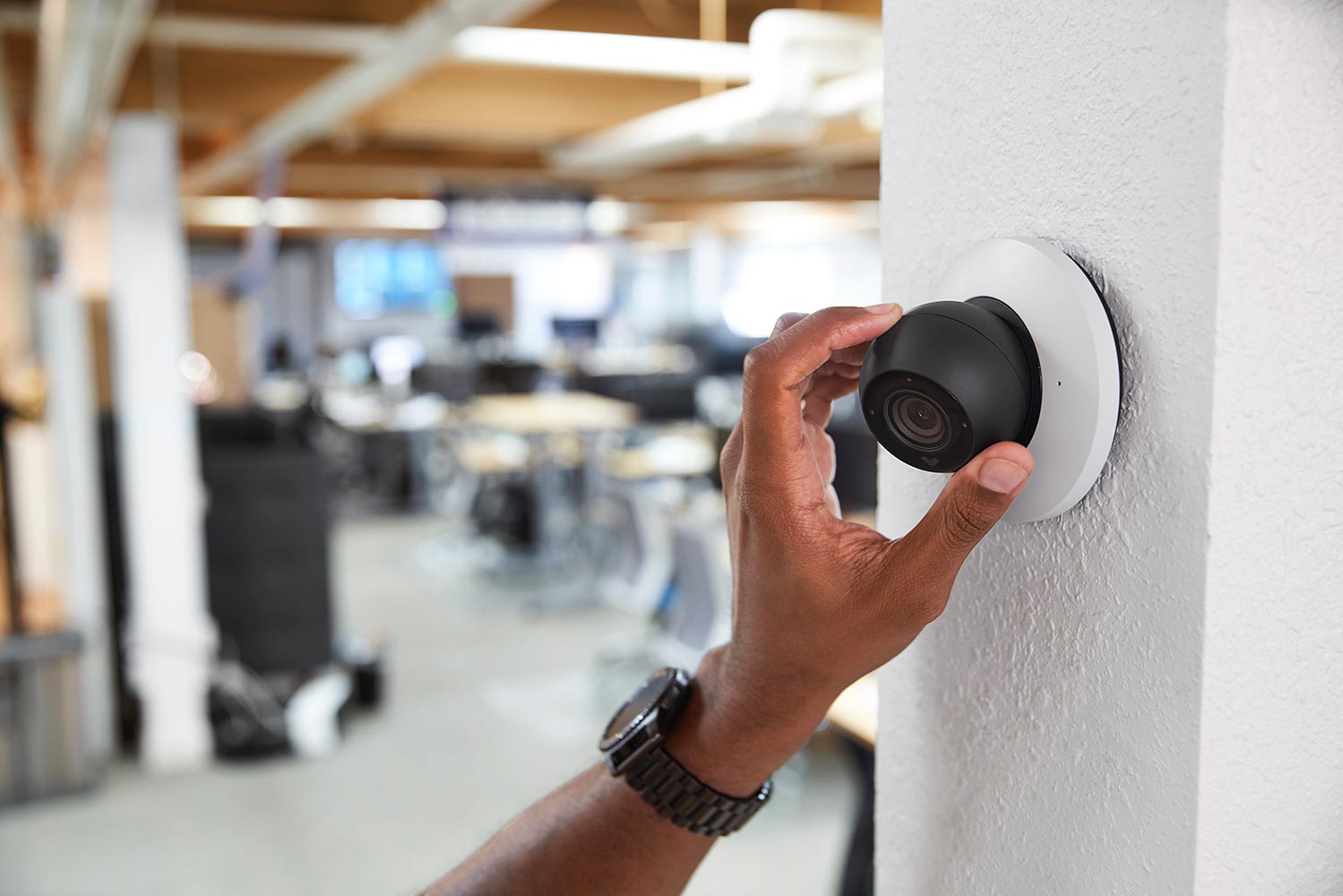
For a surveillance project, that may include mounting cameras, establishing network connections, configuring recording or cloud-based management, and adjusting camera views. Access control projects may involve readers, controllers, door hardware integration, user credentials, and access schedules. Larger projects can involve both technologies as part of a unified system.
The business does not need to understand every cable, connector, or configuration setting. What matters from the customer’s perspective is whether the completed system provides the intended coverage, whether users can access the functions they need, and whether the equipment works properly in the actual operating environment.
Camera views, for example, should be evaluated based on what the business needs to identify or monitor rather than simply whether the camera turns on. Access-controlled doors should behave as intended for the users and schedules established during setup. Remote access should also be configured for the appropriate people.
Installation is therefore only one part of the job. Configuration and real-world testing are what turn installed equipment into a usable commercial security system.
How Long Does Business Security System Installation Take?
There is no reliable universal installation time for a commercial security system.
A smaller project involving a limited number of cameras will naturally have different requirements than a multi-building property with video surveillance, access control, remote management, and extensive infrastructure. Existing wiring and network conditions can also affect the project, as can building access, operating hours, equipment placement, and coordination with other contractors.
Multi-location installations introduce another layer of planning because businesses may want consistent equipment, permissions, camera naming, user access, and system management across several properties.
For that reason, the best time to establish an installation schedule is after the site has been evaluated and the project scope is clear. A commercial security installer should be able to explain the expected phases of the project, what the business needs to provide, and whether certain areas will require additional coordination.
If maintaining normal operations is a concern, discuss that before work starts. Installation scheduling can often be planned around property access and business activity when those requirements are identified early.
What About Security System Installation Inspections and Compliance?
Commercial properties can be subject to different building requirements, property rules, contractual standards, and local regulations depending on the location and the type of system being installed.
There is no single inspection or permit requirement that applies to every commercial security installation. Requirements may differ by municipality, building type, scope of work, door configuration, and whether the project interacts with other building systems.
This is another reason compliance should be discussed during planning rather than after installation has started.
Businesses should identify whether the project requires coordination with building management, a general contractor, IT personnel, property ownership, or another party. If permits or inspections may apply, the project team should clarify those responsibilities before work begins.
The same principle applies to internal requirements. A company with its own cybersecurity, networking, credential-management, or privacy policies should share those requirements during the design stage so that the security system can be planned accordingly.
For companies operating multiple facilities, creating consistent security standards across locations can also simplify future upgrades, employee access, system management, and expansion.
Commercial and Industrial Security System Installation
Industrial properties frequently have different security challenges from a traditional office.
Manufacturing facilities, warehouses, machine shops, distribution environments, and similar commercial properties can include large exterior areas, loading zones, equipment, inventory, employee entrances, visitor areas, and locations that operate outside traditional business hours.
The objective is not simply to place cameras throughout the building. The system should provide useful visibility where incidents, operational questions, or access concerns are most likely to occur.
A manufacturing business, for example, may want to monitor receiving areas, exterior gates, parking, production access points, and valuable equipment. A warehouse may be more concerned with docks, inventory movement, entrances, and after-hours activity.
Sourced Security works with commercial clients across industries that include manufacturing, warehousing, retail, marine operations, apartment properties, and other business environments. The security design should reflect how each property operates rather than applying the same layout to every facility.
That becomes even more important when a company expects to expand. Choosing a scalable platform and establishing a consistent system design can make it easier to add cameras, doors, users, or additional locations later.
Testing the System Before Handoff
A commercial security installation should not end as soon as the final camera or access control device has been mounted.
The completed system needs to be tested from the user’s point of view.
For cameras, that means confirming that the intended areas can actually be seen and that authorized users know how to view live video and retrieve recordings. For access control, administrators should verify users, permissions, schedules, and the doors or areas associated with those permissions.
Remote access should be checked for the appropriate users as well.
This final review is particularly useful because system adjustments are often easier to identify once the business sees the technology working in the real environment. A camera angle may need refinement. A user may need a different permission level. Managers may discover that they want a different way of organizing devices or viewing multiple locations.
The goal of testing is not simply to prove that the hardware has power. It is to confirm that the system does what the business expected it to do.
Post-Installation Security System Walkthrough and Training
Training is one of the most important parts of the handoff.
A powerful security system is not very useful if the people responsible for it do not know how to find video, manage users, change access permissions, respond to alerts, or use remote features.
The walkthrough should focus on the functions each person actually needs.
An administrator may need to understand user permissions, device management, and access schedules. A manager may primarily need to search recorded video or review activity remotely. Another employee may only need basic access to a particular function.
Training can therefore be role-based rather than giving every employee the same level of system access.
Businesses should also decide who will manage the system after installation. Assigning responsibility early helps prevent outdated user accounts, unnecessary access privileges, and confusion when an employee leaves or a new manager takes over.
For multi-site organizations, documenting basic procedures can also make management more consistent across locations.
Planning for Support, Changes, and Future Expansion
Commercial security needs rarely stay exactly the same.
Businesses add employees, change operating hours, modify buildings, expand parking or storage areas, open additional locations, and change how spaces are used. A security system should be capable of adapting to those changes.
That does not necessarily mean installing everything a business might ever need on day one. It means making thoughtful decisions about the platform and design so future changes do not require starting over.
A company may begin with video surveillance and later decide to integrate access control. Another business may expand from one property to several locations and want centralized access to its systems. A property experiencing recurring after-hours activity might later consider remote monitoring through a Virtual Guard service.
This is where ongoing support becomes part of the commercial installation decision.
When evaluating a security provider, businesses should consider what happens after installation as well as the equipment being proposed today. Ask who supports the system, how changes are handled, whether remote assistance is available, and how the system can grow as the organization changes.
Commercial Security Installation Across Connecticut and New England
Commercial security needs often vary by property type, geography, and operations. A marina in Rhode Island has a different physical environment from a manufacturing facility in Connecticut or a multi-tenant property elsewhere in New England.
Sourced Security Solutions provides commercial security system design and installation throughout Connecticut and serves businesses across New England, including Massachusetts and Rhode Island.
Its work includes video surveillance, access control, remote management, and Virtual Guard solutions for commercial properties. Sourced Security has worked with organizations in manufacturing, warehousing, retail, marine environments, apartment housing, and other commercial settings.
You can also review Sourced Security’s commercial security case studies to see how system planning can change based on the property and the business’s operating needs.
Frequently Asked Questions About Commercial Security Installation
What is included in a commercial security installation?
A commercial security installation can include site evaluation, system design, equipment installation, configuration, testing, and user training. Depending on the property, the system may include video surveillance, access control, remote access, Virtual Guard monitoring, or a combination of technologies.
The exact scope should be determined by the property’s security needs rather than by a standard equipment package.
How should a business prepare for security system installation?
Identify a primary contact, make sure installers can access the required areas, and involve IT or property-management personnel when appropriate. It also helps to identify who will use the system and who will have administrative access after installation.
Any restrictions involving business hours, occupied areas, construction, or property access should be discussed during planning.
How long does commercial security installation take?
The timeline depends on the property size, number of cameras or controlled doors, existing infrastructure, network readiness, building access, and the overall project scope. A realistic schedule should be established after the installer evaluates the property and confirms the system design.
Will a commercial security installation interrupt business operations?
It can require access to active areas of the property, but planning the schedule in advance can help limit unnecessary disruption. Businesses should tell the installer about production schedules, customer traffic, restricted spaces, resident access, or other operational concerns before work begins.
Can an existing commercial security system be upgraded?
In many cases, yes, although the existing equipment, infrastructure, network, and software need to be evaluated first. Some components may continue to be useful while others may need to be replaced to achieve the desired coverage or system functionality.
An assessment can help determine whether an upgrade, integration, or new system makes the most sense.
Can video surveillance and access control work together?
Yes. Video surveillance and access control can be integrated so businesses can manage property access while also using video to provide additional context around activity at entrances and other controlled locations.
Sourced Security provides both commercial video surveillance and access control solutions.
What happens after the security system is installed?
The system should be tested and the appropriate users should receive a walkthrough of the functions they need. Businesses should understand how to view video, manage access where applicable, use remote features, and contact their security provider when changes or support are needed.
Plan a Commercial Security System Around Your Business
The right commercial security installation starts with understanding what your business needs to protect, monitor, and manage.
Whether you are replacing an older camera system, adding electronic access control, securing an industrial property, or planning security across multiple locations, the first step is evaluating the property and establishing a system design that supports the way your business actually operates.
Sourced Security Solutions works with commercial businesses throughout Connecticut and New England to design and install video surveillance, access control, and remote security solutions tailored to each property.
Contact Sourced Security Solutions at (888) 977-2668 to discuss your commercial security system and schedule a consultation.