
Replace the Existing Introduction With This
Managing security across several business locations is different from operating cameras at a single property. Franchises, chains, property managers, and other multi-location organizations need a way to maintain visibility across sites without forcing each location to operate as an entirely separate security environment.
A well-planned multi-site surveillance system can give authorized teams centralized access to cameras, make security practices more consistent between properties, and make it easier to review activity without traveling from site to site. Depending on the business and selected platform, multiple locations can also be connected with access control, video analytics, and remote monitoring.
The goal is not simply to install the same cameras everywhere. It is to create a surveillance approach that can scale as locations are added while remaining practical for local managers, regional teams, and company leadership.
Why Multi-Site Surveillance Requires a Different Approach
A business with several properties has to think beyond individual camera placement.
One location may have different entrances, operating hours, parking areas, loading areas, or security concerns than another. At the same time, corporate or regional managers may need consistent access to video and an easier way to understand what is happening across the organization.
Without a coordinated approach, individual properties can end up using different platforms, camera configurations, user permissions, and management procedures. That can make it harder to train employees, retrieve footage, investigate incidents, and add new locations later.
A multi-location surveillance strategy creates a common foundation while still allowing each property to be configured around its own layout and operating needs.
Replace Step 1 With: Centralize Surveillance Management Across Locations
The first question for a multi-location business is how authorized users will view and manage cameras across all properties.
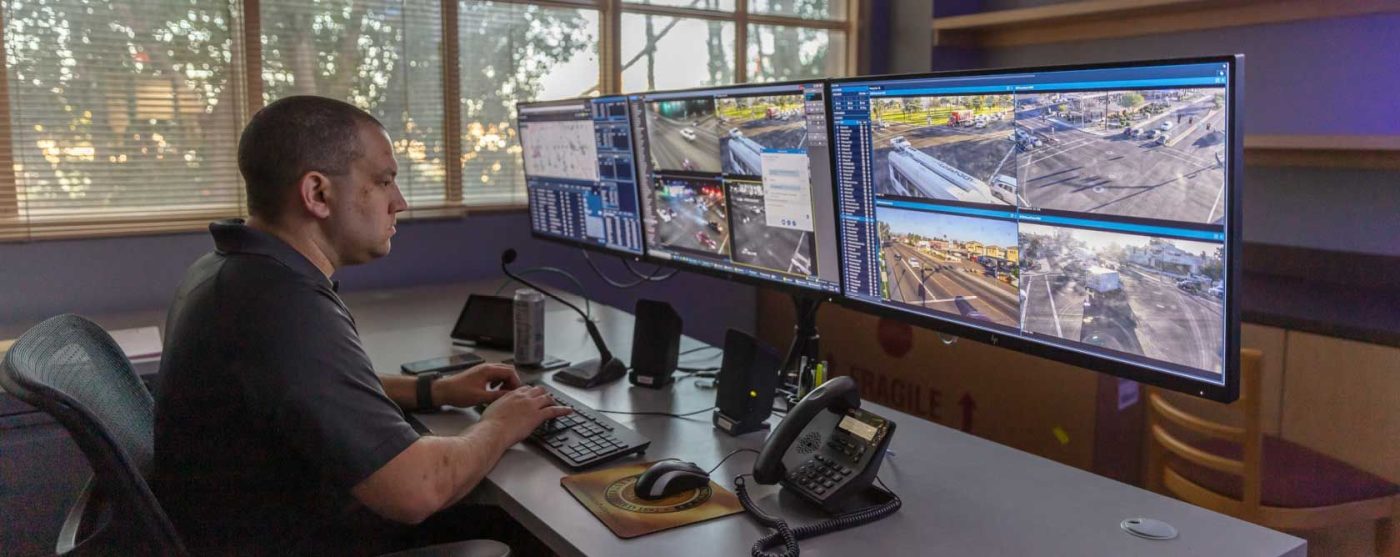
Depending on the surveillance platform, corporate security teams, business owners, or regional managers may be able to access multiple sites through a centralized interface instead of logging into a separate system for every location. This makes it easier to check activity at a remote property, review recorded video, and maintain visibility when management teams cannot physically visit each site.
Centralized management does not mean every location must have an identical layout. Camera placement and coverage should still reflect the needs of each property. The goal is to create a consistent way to access and manage surveillance while allowing the physical design to fit each site.
For businesses asking how to monitor multiple commercial sites remotely, this centralized visibility is one of the most important parts of the system design.
Sourced Security provides commercial video surveillance solutions with remote-access capabilities and scalable platforms designed around business needs.
Update Step 2 To: Standardize What Makes Sense Across Locations
Consistency makes a multi-location surveillance system easier to manage, but that does not mean every property needs exactly the same number or type of cameras.
Businesses should establish common standards for the parts of the system that benefit from consistency. That may include how cameras and locations are named, how authorized users access the platform, how important areas are categorized, and how managers retrieve recorded video.
Camera placement itself should remain property-specific. A retail location, warehouse, apartment complex, marina, or office building will not have identical surveillance needs.
Creating a repeatable framework can also make future expansion easier. When another location is added, the business already has an approach for system management rather than starting over with an unrelated setup.
Rename Step 3 To: Control Who Can View Each Business Location
Not everyone in a multi-location organization needs access to every camera.
A corporate administrator may need broader visibility across the organization, while a regional manager may only need access to the properties they oversee. Local managers may need access to cameras at their own location without viewing other sites.
Setting appropriate user permissions can make centralized surveillance easier to manage while limiting access to the people who actually need it.
Businesses should decide who will administer the overall platform, who will manage individual properties, and how access should change when employees move between roles or leave the organization.
This is different from physical access control, which determines who can enter doors, gates, or restricted areas. Physical access control can also be integrated into a broader multi-site security strategy.
Replace Most of Step 4 With: Plan Reliable Connectivity for Multi-Site Security
Remote surveillance depends on reliable connectivity between the security system and the people who need access to it.
The specific network design will depend on the surveillance platform, existing infrastructure, number of cameras, property conditions, and how video will be accessed or stored. Multi-location businesses should involve the appropriate IT personnel and security provider early so networking requirements can be reviewed before systems are deployed across several sites.
Security cameras and related devices should also be configured using appropriate vendor and organizational security practices. The objective here is not to turn property managers into network-security specialists. It is to make sure connectivity and system access are considered as part of the installation rather than after cameras have already been deployed.
For companies expanding across several offices or commercial properties, planning connectivity early can make future installations much easier to manage.
Replace Step 5 With: Establish Consistent Video Retention and Management Policies
A multi-site business should decide how recorded video will be managed across its locations.
Retention requirements can vary based on business needs, the number of cameras, recording settings, available storage, company policies, and any requirements that apply to the organization. There is no single retention period that is appropriate for every commercial property.
What matters is having a clear approach rather than allowing each location to manage recordings completely differently.
Businesses should also determine who can retrieve or export footage and how important incidents should be handled internally. Creating a consistent process makes it easier for teams to respond when video is needed for an operational question, liability concern, security event, or other business purpose.
Expand Step 6 To: Use Remote Monitoring Across Multiple Locations
Centralized access lets a business view cameras across several properties. Remote monitoring can take that concept further.
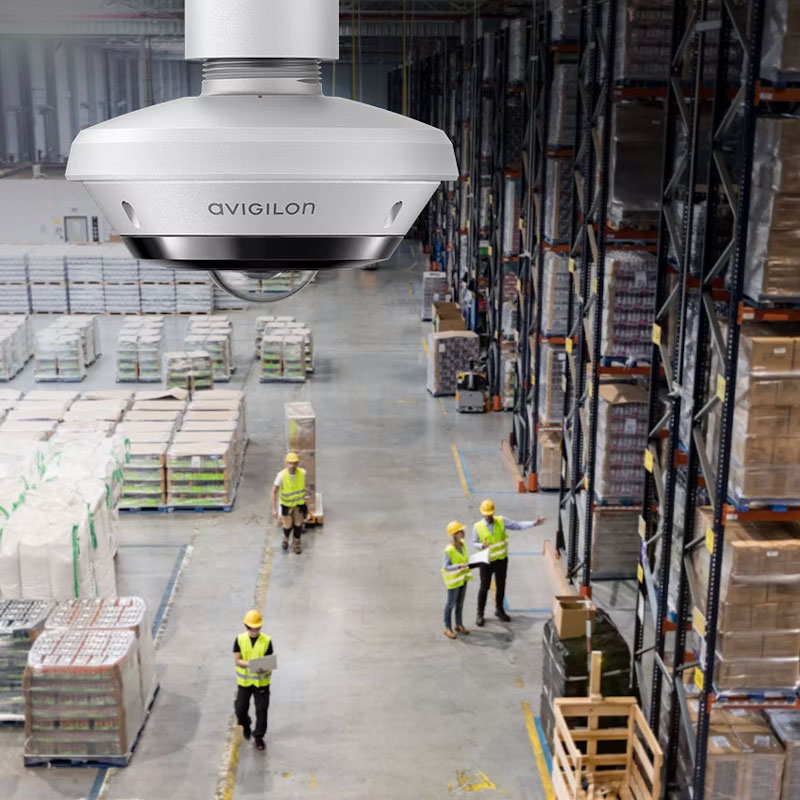
For businesses with locations that are difficult to supervise continuously, designated cameras can be used as part of a professional monitoring program. This can be valuable for exterior areas, parking lots, warehouses, apartment properties, construction locations, commercial pools, marinas, and other spaces where activity may need attention outside normal operating hours.
Sourced Security’s Virtual Guard monitoring combines commercial security cameras, intelligent video detection, and trained monitoring professionals. When unusual activity is detected, monitoring personnel can review the event and follow the response procedures established for that property.
Depending on the site’s equipment and monitoring plan, the response may include reviewing live footage, issuing an audio warning through compatible equipment, contacting an authorized representative, or escalating an urgent event according to the site’s established procedures.
This can be particularly useful for organizations managing multiple properties because it reduces the need for local employees to continuously watch camera feeds themselves.
Virtual Guard may also work with some existing commercial surveillance systems, although camera positioning, image quality, nighttime visibility, network connectivity, system access, and other factors need to be evaluated for compatibility first.
Add New Section: How to Scale Surveillance Across Multiple Offices or Business Locations
A multi-location surveillance system should be planned with the next property in mind.
When businesses open another office, store, warehouse, apartment property, or commercial site, the security team should not have to invent an entirely new management process. A scalable approach establishes a repeatable framework for adding cameras, users, permissions, and remote access while still allowing the new property to receive the coverage it actually needs.
This is one reason standardization matters. Consistent naming, user-management practices, platform selection, and administrative procedures can make it easier to add locations without creating a collection of unrelated camera systems.
Businesses should also think about who will manage expansion. Corporate teams may set organization-wide standards, while local managers can provide information about site-specific entrances, exterior areas, parking, restricted spaces, and day-to-day operational concerns.
The result should be a system that becomes easier—not harder—to manage as the organization grows.
Add New Section: Connect Multi-Site Video Surveillance With Access Control
Video surveillance is only one part of centralized building security.
Businesses that need to manage doors, gates, employee entry, vendors, or other controlled areas can also connect surveillance with commercial access control.
Sourced Security‘s access control systems can support centralized management across multiple doors and locations. Access events can also be connected with live or recorded video, giving authorized managers additional context when reviewing activity around controlled entry points.
For a multi-location organization, this can create a more unified way to manage both visibility and property access.
A company may use video surveillance to understand what is happening around a location while using access control to determine who is permitted to enter specific areas. Managers can then oversee both systems without treating each property as an isolated security environment.
Replace Step 7 With: Account for Property-Specific Policies and Requirements
Businesses operating several locations should account for any company policies, building requirements, privacy considerations, or location-specific rules that apply to their surveillance systems.
Those requirements can vary based on the property, type of business, jurisdiction, and how cameras or other security technologies are being used.
Rather than assuming one policy applies everywhere, businesses should identify relevant requirements during system planning and confirm any legal or regulatory obligations with the appropriate qualified resources.
The security system can then be configured around the organization’s operational requirements without turning the surveillance project itself into a legal-compliance program.
Replace Step 8 With: Create Consistent Response Procedures Across Locations
Technology works better when people know what happens after an event occurs.
For multi-location businesses, response procedures should establish who reviews activity, who should be contacted, and how incidents are escalated within the organization.
A local property manager may handle one type of situation, while another event may need to be reviewed by a regional or corporate team. Properties using Virtual Guard monitoring can also establish site-specific response instructions so monitoring personnel understand how different types of activity should be handled.
The process does not have to be identical for every location. A warehouse, apartment complex, office building, and marina can have different operational concerns.
What should remain consistent is that responsibilities are clearly defined before an incident occurs.
Add New Section: Who Benefits From Multi-Location Surveillance?
Multi-site video surveillance can be useful for organizations that operate several commercial properties and want better visibility across them.
Franchise and chain businesses can use centralized camera management to create a more consistent security approach across locations. Property management companies may need visibility across multiple apartment complexes or commercial buildings. Manufacturing and warehouse operations can manage several facilities, loading areas, parking areas, and employee access points.
Schools, offices, retail businesses, maritime operations, and other organizations with multiple properties may also benefit when managers need to review activity remotely without maintaining an entirely separate surveillance process at every location.
The exact system should still be designed around each property’s needs. Multi-site surveillance works best when centralized management and local requirements are considered together.
Frequently Asked Questions About Multi-Site Surveillance
What is a multi-site surveillance system?
A multi-site surveillance system allows a business to manage video surveillance across more than one commercial property. Depending on the platform and configuration, authorized users may be able to view live or recorded video from several locations through a centralized system instead of managing each property separately.
The individual locations can still have different camera layouts based on their own security and operational needs.
How can a business monitor multiple commercial sites remotely?
A business can use a commercial video surveillance platform that provides authorized remote access to cameras across multiple locations. Managers may be able to review individual sites from a centralized interface while using permissions to determine which users can access each property.
Businesses that need active professional monitoring can also evaluate Virtual Guard services for designated cameras and areas.
What is the best way to centralize multi-site security camera management?
The best approach depends on the number of locations, existing camera systems, network infrastructure, management structure, and security goals.
In general, businesses benefit from using a scalable surveillance platform, establishing consistent administrative practices, defining user permissions, and planning how new locations will be added. Each property’s camera placement should still be based on its individual layout and operating requirements.
Can one centralized security system support multiple business locations?
Yes, commercial surveillance and access-control platforms can support centralized management across multiple locations when the system is designed for that purpose.
The exact setup will depend on the equipment, network environment, software platform, number of sites, and how the organization wants local and corporate users to access the system.
How do you scale video surveillance across multiple office locations?
Start by establishing a repeatable framework for system management rather than designing every location independently. That can include common platform standards, camera and location naming, user permissions, remote access procedures, and installation planning.
Each new office should still receive a property-specific assessment so camera placement reflects its entrances, parking, restricted areas, and other operational needs.