

Choosing security cameras for a retail store starts with the store itself.
A customer entrance, checkout counter, sales floor, stockroom, employee entrance, loading area, and parking lot all create different viewing needs. One camera type or one mounting position will not necessarily work equally well in every part of the property.
For retailers, the goal is not simply to install as many cameras as possible. It is to create useful video coverage that helps managers see what is happening, review incidents, document liability concerns, and understand activity around the business.
Sourced Security Solutions provides commercial video surveillance for retail and other business environments. Since 2011, the company has worked with commercial clients to plan security systems around the way each property operates rather than forcing every location into the same equipment package.
What Are the Best Security Cameras for a Retail Store?
There is no single security camera that is best for every retail location.
The better question is what the camera needs to show.
A camera covering the customer entrance may need to provide a useful view of people entering and leaving while dealing with bright exterior light coming through storefront glass.
A checkout camera may need a more focused view of activity around the transaction area.
A sales-floor camera may need broader coverage so managers can understand movement through the store.
A rear entrance or stockroom may require a different viewing angle because the concern is inventory, deliveries, or employee activity rather than customer traffic.
Exterior areas introduce weather, changing light, parking activity, and longer viewing distances.
A well-designed retail video surveillance system uses the property layout and the purpose of each camera to determine the right coverage.
Start With Customer Entrances and Exits
Store entrances are often one of the first areas retailers should evaluate.
Customers, employees, vendors, and delivery personnel all move through these points, so entrance footage can help establish who entered or left the store and when.
Storefront entrances can also be difficult camera locations because indoor and outdoor lighting are often very different. Bright daylight through glass can affect the usefulness of an image if the camera and placement are not selected for those conditions.
Position matters as well.
A camera mounted only for a broad ceiling-level overview may show that someone entered but provide less useful detail when a manager needs to review the person or event later.
The entrance should therefore be treated as its own coverage area rather than relying entirely on a general camera pointed toward the front of the store.
Retail Camera Coverage Around Checkout Areas
Checkout and point-of-sale areas are another common priority.
These spaces involve customer transactions, employees, merchandise, returns, disputes, and other activity that managers may need to review after an incident.
Useful surveillance should show enough of the surrounding area to establish context.
A retailer may need to determine what occurred before a disagreement, which employee was working at the time, whether merchandise was present, or how a customer moved through the transaction area.
The objective is not to capture confidential payment information. It is to provide a useful visual record of activity around the checkout space.
Camera placement should therefore account for both the counter and the surrounding customer and employee area.
Sales Floor and Aisle Security Cameras
Sales floors can be more difficult to cover than they first appear.
Shelving, displays, signs, merchandise, and changing store layouts can block camera views. A camera that worked well when the system was installed may become less useful after fixtures are rearranged.
Retailers should think about which parts of the sales floor require general visibility and which areas need a closer view.
A broad camera view can help managers understand movement through an open sales area. More focused coverage may be useful around selected merchandise, customer-service counters, or areas where incidents are more likely to require detailed review.
Tall shelving creates another consideration because it can divide a store into separate visual zones.
The right layout depends on the store itself. A showroom, convenience store, clothing retailer, specialty shop, and large multi-aisle store should not automatically use the same camera plan.
Stockrooms, Back Rooms, and Employee-Only Areas
Retail security does not end at the customer-facing portion of the store.
Stockrooms, receiving areas, rear entrances, storage rooms, and other back-of-house areas may contain inventory and often have less constant supervision than the sales floor.
Commercial video surveillance can help managers review activity in these locations when questions arise about inventory, deliveries, access, or other operational issues.
Camera placement should follow the way merchandise moves through the property.
Where do deliveries enter?
Where is stock stored?
Which doors do employees and vendors use?
Which areas are difficult for managers to observe during normal operations?
Those questions help determine where cameras may be useful.
Businesses should also distinguish operational work areas from places where employees have stronger privacy expectations. Workplace-monitoring and privacy requirements should be reviewed before surveillance is placed in employee areas where legal restrictions may apply.
Rear Entrances and Receiving Areas
Rear entrances can have very different activity from the customer entrance.
Employees may enter or leave there. Delivery drivers may use the area. Vendors, maintenance personnel, inventory, and waste collection may all pass through the same part of the property.
A camera aimed only at the door itself may not provide enough context.
For some stores, coverage should include the immediate area outside the entrance so managers can understand what happened before someone approached the door or after they left.
Receiving areas may also require a view that accounts for merchandise movement rather than only people.
The system should reflect what the business would actually need to review after a delivery issue, access concern, or other event.
Exterior Storefront and Parking Lot Cameras
A retailer may also need surveillance outside the building.
Storefronts, sidewalks, parking areas, delivery zones, and rear property areas can all matter depending on who controls the property.
Exterior cameras have to deal with conditions that indoor cameras do not.
Daylight changes. Nighttime visibility changes. Headlights, weather, shadows, and neighboring lighting can all affect the camera view.
The system should be evaluated during the conditions in which the business expects to use it.
A view that looks clear during the middle of the afternoon may perform differently after the store closes.
Businesses located in shopping centers or multi-tenant properties should also determine which exterior areas they are responsible for and which are controlled by the building or property manager.
Retail Surveillance Is About More Than Theft
Loss prevention is one reason retailers use cameras, but it should not be the only reason discussed when designing the system.
Video can also support day-to-day operational awareness.
Managers may need to review a delivery, an interaction with a customer, property damage, activity around an employee entrance, or an incident in the parking area.
Liability documentation is another practical use.
If someone reports a slip or fall, for example, video may help the business review what was happening around the area before and after the incident.
This can be particularly useful in the Northeast, where snow and ice can create additional concerns around commercial entrances, sidewalks, and parking areas.
Security footage does not determine legal responsibility on its own, and cameras do not replace appropriate property maintenance. They can provide another source of information when an event needs to be reviewed.
Broad Coverage Versus Detailed Camera Views
Retailers often need both broad and focused video.
A broad camera view can help show what happened across a sales floor or open area.
A more focused camera may be useful when a business needs better detail around an entrance, checkout space, rear door, or other selected location.
Trying to use one camera for both purposes can create compromises.
If the view is too wide, important detail may be difficult to see.
If it is too narrow, managers may lose the surrounding context needed to understand an event.
This is why camera selection should follow the purpose of the view.
The question is not simply how much area a camera can see. It is whether the video will answer the questions the business is likely to ask later.
Low-Light and After-Hours Retail Surveillance
Stores may operate under very different lighting conditions after closing.
Interior lights can be reduced. Parking areas become darker. Rear entrances may rely on exterior building lights. Reflections and headlights can also affect nighttime images.
Retailers expecting their cameras to be useful after hours should consider those conditions during system design.
The same applies when remote monitoring is being considered.
A monitoring service is only as useful as the camera view available to it.
If an exterior area needs monitoring after the store closes, the camera and lighting conditions should be evaluated with that use in mind rather than assuming daytime performance will be the same at night.
Can Retail Stores Use Virtual Guard Monitoring?
Yes. Virtual Guard monitoring can be discussed for retail properties where remote oversight is useful.
Sourced Security’s Virtual Guard service works with commercial video surveillance and can give businesses another monitoring option for selected areas.
For a retail property, that might include exterior areas, parking, a rear entrance, or another part of the business where added oversight is useful outside normal operations.
The exact setup should depend on the property and monitoring plan.
Some monitored setups may support audio response features depending on the equipment and plan.
Virtual Guard should not be treated as an automatic addition to every retail camera system. The business should first identify which areas need monitoring and what it wants the service to accomplish.
Access Control for Retail Back-of-House Areas
Retail stores often include spaces that customers should not enter.
Stockrooms, offices, employee-only entrances, equipment rooms, and certain rear areas may need controlled access.
Sourced Security provides commercial access control installation in Connecticut, Massachusetts, and Rhode Island.
Access control can help retailers electronically manage selected doors based on who is permitted to enter.
It can also work alongside video surveillance.
For example, video may give managers visual context around an employee entrance or stockroom door while access control manages who is authorized to use that entry point.
Sourced Security’s current access-control systems can connect door activity with live or recorded video. This can be useful when a retailer wants entry management and surveillance to work together rather than as separate systems.
Retail Security for Multi-Location Businesses
Retail companies operating several locations have another decision to make: how consistent should the security system be across stores?
Using a common management approach can make it easier for authorized personnel to work with cameras across multiple locations.
That does not mean every store needs an identical camera layout.
One property may be a standalone storefront with its own parking area.
Another may be inside a shopping center.
A third may include a loading area, several employee entrances, or a larger stockroom.
The physical camera design should still follow the property.
The parts that can be standardized are the management approach, user access, camera naming, and other procedures that make the systems easier to operate across locations.
For retailers planning new stores or expanding existing operations, thinking about scalability early can make future additions easier to manage.
Should Retailers Use Remote Camera Access?
Remote access can be useful when owners or authorized managers need to view commercial cameras without being physically present at the store.
Sourced Security’s commercial video surveillance systems include remote-access capabilities.
For a single store, this can give management another way to check selected cameras when needed.
For a business with several retail locations, remote access can help authorized personnel maintain visibility across properties without traveling to every site simply to review the camera system.
Access should still be managed carefully.
Not every employee necessarily needs the same level of system access, and businesses should establish appropriate internal procedures for who can use live or recorded video.
How Long Should Retail Security Footage Be Kept?
There is no single retention period that is correct for every retail business.
The amount of footage a store keeps can depend on the number of cameras, recording configuration, available storage, how quickly incidents are normally discovered, company policies, and any legal, insurance, contractual, or regulatory requirements that apply to the business.
The retention period should therefore be selected around the operation rather than copied from another store.
A retailer that usually identifies an incident quickly may have different operational needs from a business where claims or inventory questions appear later.
Sourced Security can help determine the storage capabilities of the physical surveillance system.
Businesses should obtain appropriate professional guidance when retention or preservation requirements are connected to legal, insurance, employment, or regulatory matters.
Privacy and Retail Security Cameras
Retail stores include spaces used by customers, employees, vendors, and management.
That makes thoughtful camera placement important.
Customer entrances, checkout areas, sales floors, receiving locations, and exterior property areas can serve clear security or operational purposes.
Employee privacy requires separate consideration.
Retailers should review applicable workplace-monitoring requirements before placing cameras in employee-only spaces, and audio recording should be evaluated separately from video because different legal rules may apply.
Surveillance should have a clear business purpose.
Sourced Security can help design and install the physical security system. Legal questions about employee monitoring, privacy, notice, or recorded audio should be addressed with qualified legal counsel.
What Should Retailers Consider Before Choosing Cameras?
A retailer does not need to begin with a camera model or a technical specification sheet.
Start by walking the property.
Look at the customer entrance, checkout area, sales floor, stockroom, receiving area, employee doors, storefront, and exterior spaces.
For each area, ask what the business would need to see if an incident occurred.
Then consider lighting, distance, obstructions, and whether the store layout is likely to change.
Think about which areas need broad context and which require a closer view.
Finally, consider how employees or managers will use the system after installation.
Does management need remote access?
Are there several stores?
Does the property need access control around employee-only areas?
Would selected exterior areas benefit from Virtual Guard monitoring?
Those questions produce a much more useful surveillance plan than choosing cameras based only on megapixels or feature lists.
Why Camera Placement Matters
A capable camera can still provide poor evidence if it is pointed at the wrong place.
A shelf may block the view.
Bright storefront glass may make the entrance difficult to see.
A camera mounted too high may provide a broad overview without enough useful detail.
A camera pointed too narrowly may miss what occurred immediately before or after an incident.
That is why retail surveillance should be designed as a coverage system rather than as a collection of individual cameras.
Sourced Security specializes in commercial surveillance system design and installation for industries that include retail.
The system should be built around what the retailer needs to see and how the footage will be used.
Frequently Asked Questions About Retail Security Cameras
What are the best security cameras for retail stores?
The best camera depends on the area being monitored.
Customer entrances, checkout areas, sales floors, stockrooms, rear doors, and parking lots have different lighting conditions, viewing distances, and coverage goals.
Retailers should choose camera placement and equipment based on what they need to see in each part of the store rather than using one camera configuration everywhere.
Where should retail security cameras be placed?
Common areas to evaluate include entrances and exits, checkout spaces, sales floors, stockrooms, employee entrances, receiving areas, rear doors, storefronts, and parking.
The exact layout depends on the property and the business’s operational and security priorities.
Should cameras cover retail checkout areas?
Checkout areas are often useful locations for surveillance because they include customer transactions, employee activity, merchandise, returns, and possible disputes.
The camera should provide enough context to understand activity around the transaction area rather than simply pointing directly at the register.
Are retail security cameras useful for liability claims?
Recorded video may help a business review what occurred around a reported incident such as a slip or fall.
Footage does not determine responsibility by itself, but it may provide information about conditions and activity before, during, or after the event.
Should stockrooms have security cameras?
Stockrooms and back-of-house areas may benefit from surveillance where the business needs visibility around inventory, receiving, employee activity, or rear access points.
Retailers should still consider workplace privacy requirements when placing cameras in employee areas.
Can retail security cameras integrate with access control?
Yes.
Commercial access control can manage entry to selected doors, while video surveillance can provide visual context around those areas.
This may be useful for stockrooms, offices, employee entrances, and other controlled sections of a retail property.
Can a retail store use Virtual Guard monitoring?
Virtual Guard monitoring can be discussed for commercial retail properties where remote oversight is useful.
The appropriate setup depends on the property, camera coverage, equipment, hours of operation, and monitoring plan.
Do all areas of a store need the same camera?
No.
Different parts of the store can require different views.
An entrance may need a different setup from a sales floor, checkout space, stockroom, or exterior parking area.
The camera should match the purpose of the area being monitored.
Can multiple retail locations use the same surveillance platform?
Commercial surveillance systems can be planned for businesses operating more than one location.
The stores do not need identical camera layouts, but using a consistent management approach can make it easier for authorized personnel to work with video across locations.
Plan Retail Surveillance Around the Property
The best retail video surveillance system is not the one with the longest list of specifications.
It is the one that provides useful visibility where the business needs it.
Entrances should provide a useful view of people entering and leaving.
Checkout areas should provide context around transactions.
Sales-floor coverage should account for fixtures and changing layouts.
Stockrooms and receiving areas should reflect how merchandise enters and moves through the business.
Exterior cameras should be planned around the conditions they will actually face.
Sourced Security Solutions has served commercial clients since 2011 and provides commercial video surveillance, access control installation, and Virtual Security Guard monitoring.
To discuss video surveillance for a retail property, contact Sourced Security Solutions at (888) 977-2668.
Choosing security cameras for a retail store starts with the store itself.
A customer entrance, checkout counter, sales floor, stockroom, employee entrance, loading area, and parking lot all create different viewing needs. One camera type or one mounting position will not necessarily work equally well in every part of the property.
For retailers, the goal is not simply to install as many cameras as possible. It is to create useful video coverage that helps managers see what is happening, review incidents, document liability concerns, and understand activity around the business.
Sourced Security Solutions provides commercial video surveillance for retail and other business environments. Since 2011, the company has worked with commercial clients to plan security systems around the way each property operates rather than forcing every location into the same equipment package.
What Are the Best Security Cameras for a Retail Store?
There is no single security camera that is best for every retail location.
The better question is what the camera needs to show.
A camera covering the customer entrance may need to provide a useful view of people entering and leaving while dealing with bright exterior light coming through storefront glass.
A checkout camera may need a more focused view of activity around the transaction area.
A sales-floor camera may need broader coverage so managers can understand movement through the store.
A rear entrance or stockroom may require a different viewing angle because the concern is inventory, deliveries, or employee activity rather than customer traffic.
Exterior areas introduce weather, changing light, parking activity, and longer viewing distances.
A well-designed retail video surveillance system uses the property layout and the purpose of each camera to determine the right coverage.
Start With Customer Entrances and Exits
Store entrances are often one of the first areas retailers should evaluate.
Customers, employees, vendors, and delivery personnel all move through these points, so entrance footage can help establish who entered or left the store and when.
Storefront entrances can also be difficult camera locations because indoor and outdoor lighting are often very different. Bright daylight through glass can affect the usefulness of an image if the camera and placement are not selected for those conditions.
Position matters as well.
A camera mounted only for a broad ceiling-level overview may show that someone entered but provide less useful detail when a manager needs to review the person or event later.
The entrance should therefore be treated as its own coverage area rather than relying entirely on a general camera pointed toward the front of the store.
Retail Camera Coverage Around Checkout Areas
Checkout and point-of-sale areas are another common priority.
These spaces involve customer transactions, employees, merchandise, returns, disputes, and other activity that managers may need to review after an incident.
Useful surveillance should show enough of the surrounding area to establish context.
A retailer may need to determine what occurred before a disagreement, which employee was working at the time, whether merchandise was present, or how a customer moved through the transaction area.
The objective is not to capture confidential payment information. It is to provide a useful visual record of activity around the checkout space.
Camera placement should therefore account for both the counter and the surrounding customer and employee area.
Sales Floor and Aisle Security Cameras
Sales floors can be more difficult to cover than they first appear.
Shelving, displays, signs, merchandise, and changing store layouts can block camera views. A camera that worked well when the system was installed may become less useful after fixtures are rearranged.
Retailers should think about which parts of the sales floor require general visibility and which areas need a closer view.
A broad camera view can help managers understand movement through an open sales area. More focused coverage may be useful around selected merchandise, customer-service counters, or areas where incidents are more likely to require detailed review.
Tall shelving creates another consideration because it can divide a store into separate visual zones.
The right layout depends on the store itself. A showroom, convenience store, clothing retailer, specialty shop, and large multi-aisle store should not automatically use the same camera plan.
Stockrooms, Back Rooms, and Employee-Only Areas
Retail security does not end at the customer-facing portion of the store.
Stockrooms, receiving areas, rear entrances, storage rooms, and other back-of-house areas may contain inventory and often have less constant supervision than the sales floor.
Commercial video surveillance can help managers review activity in these locations when questions arise about inventory, deliveries, access, or other operational issues.
Camera placement should follow the way merchandise moves through the property.
Where do deliveries enter?
Where is stock stored?
Which doors do employees and vendors use?
Which areas are difficult for managers to observe during normal operations?
Those questions help determine where cameras may be useful.
Businesses should also distinguish operational work areas from places where employees have stronger privacy expectations. Workplace-monitoring and privacy requirements should be reviewed before surveillance is placed in employee areas where legal restrictions may apply.
Rear Entrances and Receiving Areas
Rear entrances can have very different activity from the customer entrance.
Employees may enter or leave there. Delivery drivers may use the area. Vendors, maintenance personnel, inventory, and waste collection may all pass through the same part of the property.
A camera aimed only at the door itself may not provide enough context.
For some stores, coverage should include the immediate area outside the entrance so managers can understand what happened before someone approached the door or after they left.
Receiving areas may also require a view that accounts for merchandise movement rather than only people.
The system should reflect what the business would actually need to review after a delivery issue, access concern, or other event.
Exterior Storefront and Parking Lot Cameras
A retailer may also need surveillance outside the building.
Storefronts, sidewalks, parking areas, delivery zones, and rear property areas can all matter depending on who controls the property.
Exterior cameras have to deal with conditions that indoor cameras do not.
Daylight changes. Nighttime visibility changes. Headlights, weather, shadows, and neighboring lighting can all affect the camera view.
The system should be evaluated during the conditions in which the business expects to use it.
A view that looks clear during the middle of the afternoon may perform differently after the store closes.
Businesses located in shopping centers or multi-tenant properties should also determine which exterior areas they are responsible for and which are controlled by the building or property manager.
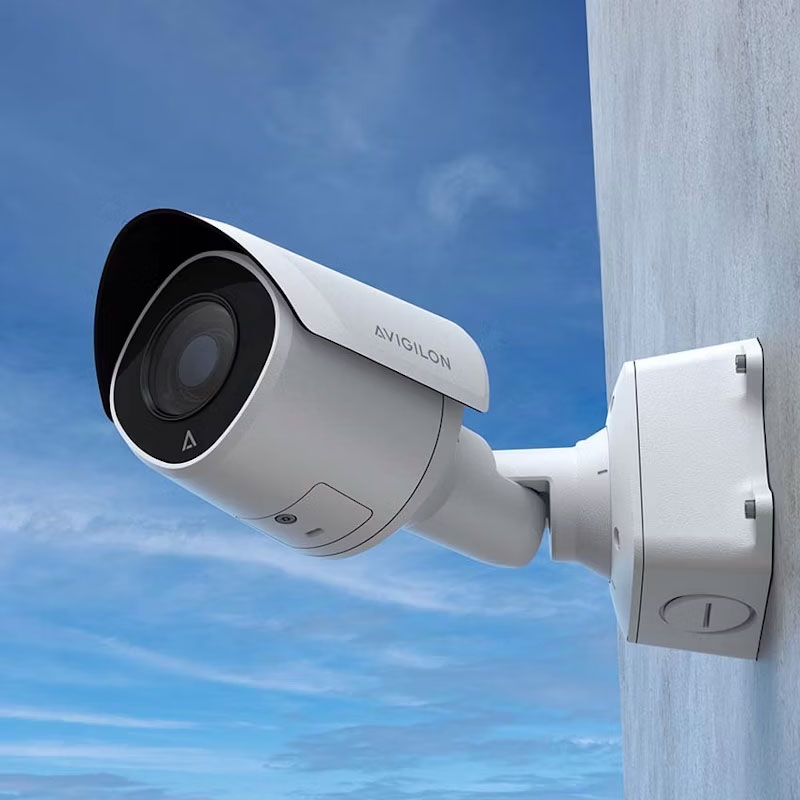
Retail Surveillance Is About More Than Theft
Loss prevention is one reason retailers use cameras, but it should not be the only reason discussed when designing the system.
Video can also support day-to-day operational awareness.
Managers may need to review a delivery, an interaction with a customer, property damage, activity around an employee entrance, or an incident in the parking area.
Liability documentation is another practical use.
If someone reports a slip or fall, for example, video may help the business review what was happening around the area before and after the incident.
This can be particularly useful in the Northeast, where snow and ice can create additional concerns around commercial entrances, sidewalks, and parking areas.
Security footage does not determine legal responsibility on its own, and cameras do not replace appropriate property maintenance. They can provide another source of information when an event needs to be reviewed.
Broad Coverage Versus Detailed Camera Views
Retailers often need both broad and focused video.
A broad camera view can help show what happened across a sales floor or open area.
A more focused camera may be useful when a business needs better detail around an entrance, checkout space, rear door, or other selected location.
Trying to use one camera for both purposes can create compromises.
If the view is too wide, important detail may be difficult to see.
If it is too narrow, managers may lose the surrounding context needed to understand an event.
This is why camera selection should follow the purpose of the view.
The question is not simply how much area a camera can see. It is whether the video will answer the questions the business is likely to ask later.
Low-Light and After-Hours Retail Surveillance
Stores may operate under very different lighting conditions after closing.
Interior lights can be reduced. Parking areas become darker. Rear entrances may rely on exterior building lights. Reflections and headlights can also affect nighttime images.
Retailers expecting their cameras to be useful after hours should consider those conditions during system design.
The same applies when remote monitoring is being considered.
A monitoring service is only as useful as the camera view available to it.
If an exterior area needs monitoring after the store closes, the camera and lighting conditions should be evaluated with that use in mind rather than assuming daytime performance will be the same at night.
Can Retail Stores Use Virtual Guard Monitoring?
Yes. Virtual Guard monitoring can be discussed for retail properties where remote oversight is useful.
Sourced Security’s Virtual Guard service works with commercial video surveillance and can give businesses another monitoring option for selected areas.
For a retail property, that might include exterior areas, parking, a rear entrance, or another part of the business where added oversight is useful outside normal operations.
The exact setup should depend on the property and monitoring plan.
Some monitored setups may support audio response features depending on the equipment and plan.
Virtual Guard should not be treated as an automatic addition to every retail camera system. The business should first identify which areas need monitoring and what it wants the service to accomplish.
Access Control for Retail Back-of-House Areas
Retail stores often include spaces that customers should not enter.
Stockrooms, offices, employee-only entrances, equipment rooms, and certain rear areas may need controlled access.
Sourced Security provides commercial access control installation in Connecticut, Massachusetts, and Rhode Island.
Access control can help retailers electronically manage selected doors based on who is permitted to enter.
It can also work alongside video surveillance.
For example, video may give managers visual context around an employee entrance or stockroom door while access control manages who is authorized to use that entry point.
Sourced Security’s current access-control systems can connect door activity with live or recorded video. This can be useful when a retailer wants entry management and surveillance to work together rather than as separate systems.
Retail Security for Multi-Location Businesses
Retail companies operating several locations have another decision to make: how consistent should the security system be across stores?
Using a common management approach can make it easier for authorized personnel to work with cameras across multiple locations.
That does not mean every store needs an identical camera layout.
One property may be a standalone storefront with its own parking area.
Another may be inside a shopping center.
A third may include a loading area, several employee entrances, or a larger stockroom.
The physical camera design should still follow the property.
The parts that can be standardized are the management approach, user access, camera naming, and other procedures that make the systems easier to operate across locations.
For retailers planning new stores or expanding existing operations, thinking about scalability early can make future additions easier to manage.
Should Retailers Use Remote Camera Access?
Remote access can be useful when owners or authorized managers need to view commercial cameras without being physically present at the store.
Sourced Security’s commercial video surveillance systems include remote-access capabilities.
For a single store, this can give management another way to check selected cameras when needed.
For a business with several retail locations, remote access can help authorized personnel maintain visibility across properties without traveling to every site simply to review the camera system.
Access should still be managed carefully.
Not every employee necessarily needs the same level of system access, and businesses should establish appropriate internal procedures for who can use live or recorded video.
How Long Should Retail Security Footage Be Kept?
There is no single retention period that is correct for every retail business.
The amount of footage a store keeps can depend on the number of cameras, recording configuration, available storage, how quickly incidents are normally discovered, company policies, and any legal, insurance, contractual, or regulatory requirements that apply to the business.
The retention period should therefore be selected around the operation rather than copied from another store.
A retailer that usually identifies an incident quickly may have different operational needs from a business where claims or inventory questions appear later.
Sourced Security can help determine the storage capabilities of the physical surveillance system.
Businesses should obtain appropriate professional guidance when retention or preservation requirements are connected to legal, insurance, employment, or regulatory matters.
Privacy and Retail Security Cameras
Retail stores include spaces used by customers, employees, vendors, and management.
That makes thoughtful camera placement important.
Customer entrances, checkout areas, sales floors, receiving locations, and exterior property areas can serve clear security or operational purposes.
Employee privacy requires separate consideration.
Retailers should review applicable workplace-monitoring requirements before placing cameras in employee-only spaces, and audio recording should be evaluated separately from video because different legal rules may apply.
Surveillance should have a clear business purpose.
Sourced Security can help design and install the physical security system. Legal questions about employee monitoring, privacy, notice, or recorded audio should be addressed with qualified legal counsel.
What Should Retailers Consider Before Choosing Cameras?
A retailer does not need to begin with a camera model or a technical specification sheet.
Start by walking the property.
Look at the customer entrance, checkout area, sales floor, stockroom, receiving area, employee doors, storefront, and exterior spaces.
For each area, ask what the business would need to see if an incident occurred.
Then consider lighting, distance, obstructions, and whether the store layout is likely to change.
Think about which areas need broad context and which require a closer view.
Finally, consider how employees or managers will use the system after installation.
Does management need remote access?
Are there several stores?
Does the property need access control around employee-only areas?
Would selected exterior areas benefit from Virtual Guard monitoring?
Those questions produce a much more useful surveillance plan than choosing cameras based only on megapixels or feature lists.
Why Camera Placement Matters
A capable camera can still provide poor evidence if it is pointed at the wrong place.
A shelf may block the view.
Bright storefront glass may make the entrance difficult to see.
A camera mounted too high may provide a broad overview without enough useful detail.
A camera pointed too narrowly may miss what occurred immediately before or after an incident.
That is why retail surveillance should be designed as a coverage system rather than as a collection of individual cameras.
Sourced Security specializes in commercial surveillance system design and installation for industries that include retail.
The system should be built around what the retailer needs to see and how the footage will be used.
Frequently Asked Questions About Retail Security Cameras
What are the best security cameras for retail stores?
The best camera depends on the area being monitored.
Customer entrances, checkout areas, sales floors, stockrooms, rear doors, and parking lots have different lighting conditions, viewing distances, and coverage goals.
Retailers should choose camera placement and equipment based on what they need to see in each part of the store rather than using one camera configuration everywhere.
Where should retail security cameras be placed?
Common areas to evaluate include entrances and exits, checkout spaces, sales floors, stockrooms, employee entrances, receiving areas, rear doors, storefronts, and parking.
The exact layout depends on the property and the business’s operational and security priorities.
Should cameras cover retail checkout areas?
Checkout areas are often useful locations for surveillance because they include customer transactions, employee activity, merchandise, returns, and possible disputes.
The camera should provide enough context to understand activity around the transaction area rather than simply pointing directly at the register.
Are retail security cameras useful for liability claims?
Recorded video may help a business review what occurred around a reported incident such as a slip or fall.
Footage does not determine responsibility by itself, but it may provide information about conditions and activity before, during, or after the event.
Should stockrooms have security cameras?
Stockrooms and back-of-house areas may benefit from surveillance where the business needs visibility around inventory, receiving, employee activity, or rear access points.
Retailers should still consider workplace privacy requirements when placing cameras in employee areas.
Can retail security cameras integrate with access control?
Yes.
Commercial access control can manage entry to selected doors, while video surveillance can provide visual context around those areas.
This may be useful for stockrooms, offices, employee entrances, and other controlled sections of a retail property.
Can a retail store use Virtual Guard monitoring?
Virtual Guard monitoring can be discussed for commercial retail properties where remote oversight is useful.
The appropriate setup depends on the property, camera coverage, equipment, hours of operation, and monitoring plan.
Do all areas of a store need the same camera?
No.
Different parts of the store can require different views.
An entrance may need a different setup from a sales floor, checkout space, stockroom, or exterior parking area.
The camera should match the purpose of the area being monitored.
Can multiple retail locations use the same surveillance platform?
Commercial surveillance systems can be planned for businesses operating more than one location.
The stores do not need identical camera layouts, but using a consistent management approach can make it easier for authorized personnel to work with video across locations.
Plan Retail Surveillance Around the Property
The best retail video surveillance system is not the one with the longest list of specifications.
It is the one that provides useful visibility where the business needs it.
Entrances should provide a useful view of people entering and leaving.
Checkout areas should provide context around transactions.
Sales-floor coverage should account for fixtures and changing layouts.
Stockrooms and receiving areas should reflect how merchandise enters and moves through the business.
Exterior cameras should be planned around the conditions they will actually face.
Sourced Security Solutions has served commercial clients since 2011 and provides commercial video surveillance, access control installation, and Virtual Security Guard monitoring.
To discuss video surveillance for a retail property, contact Sourced Security Solutions at (888) 977-2668.