
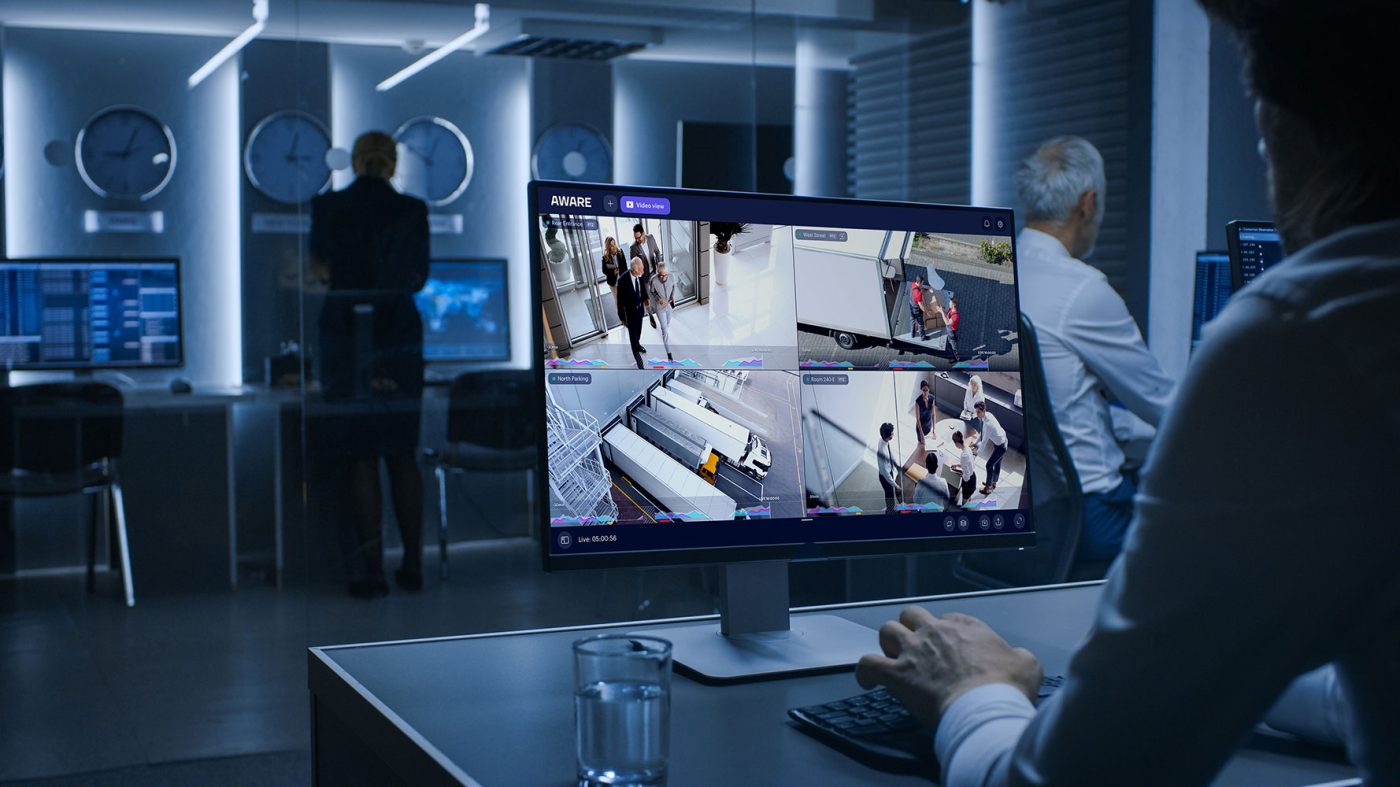
Office security cameras can help a business understand what is happening around entrances, reception areas, hallways, parking, shared spaces, and other parts of the property.
The challenge is deciding where surveillance is useful without making employees feel like every desk and conversation is being watched.
A good office camera plan starts with a clear purpose.
What does the business need to see?
Is the concern unauthorized entry, liability, deliveries, after-hours activity, parking, access to a secured room, or reviewing an incident after it occurs?
Once that purpose is clear, cameras can be placed around the areas where they are useful instead of covering every part of the office simply because the technology allows it.
Sourced Security Solutions provides commercial video surveillance, access control installation, and Virtual Security Guard monitoring. The company works with commercial organizations rather than individual residential homeowners and has served businesses since 2011.
Where Should Security Cameras Be Placed in an Office?
For many offices, the most useful camera locations are areas where people enter, leave, or move through the property.
That may include the main entrance, reception area, employee entrance, corridors, parking, loading or delivery areas, exterior doors, and selected shared spaces.
These locations can help management answer practical questions after an incident.
Who entered the building?
When did a delivery arrive?
What happened near the front entrance?
Was someone present in the parking area at a certain time?
What activity occurred around a secured room?
Those are different goals from continuously watching individual employees at their desks.
Office surveillance is usually more useful when it is built around property awareness and incident review rather than constant employee observation.
Start With Entrances and Reception Areas
The front entrance is one of the most practical locations for office surveillance.
Employees, visitors, vendors, contractors, delivery drivers, and customers may all pass through the same area.
Camera coverage can help management review who entered or left and what occurred around reception.
The camera should provide a useful view of the entrance rather than simply showing a large room from a distance.
Lighting also matters.
Glass doors and windows can create big differences between indoor and outdoor lighting, so the camera system should be planned around the actual conditions at the property.
If the office also uses access control, video can provide additional context around door activity.
Employee Entrances and Controlled Doors
Some offices have separate employee entrances, side doors, parking-garage access, or doors leading to restricted parts of the building.
These locations can be good candidates for video surveillance because the purpose is clear: understanding activity around an access point.
Access control can be used alongside cameras where a business wants to manage who is permitted to enter.
Sourced Security provides commercial access control installation in Connecticut, Massachusetts, and Rhode Island.
An office might use access control for an employee entrance, server room, records room, equipment area, executive space, or another location where entry should be restricted.
Video surveillance and access control can then work together so managers have visual context when reviewing activity around the door.
Should Offices Put Cameras Over Employee Desks?
Businesses should be careful about using cameras primarily to watch employees work.
There may be legitimate situations where a larger operational area needs surveillance, but camera placement should still have a defined business or security purpose.
A camera covering an office entrance, shared corridor, equipment area, or customer-facing space is different from positioning a camera directly over an individual employee’s workstation without a clear security reason.
Before adding a camera to an open office, management should ask what problem the camera is intended to solve.
If there is no clear answer, the location may not need surveillance.
Businesses should also review the employee-monitoring and privacy laws that apply in their state before installing workplace cameras.
Avoid Private and Personal-Comfort Areas
Certain parts of an office require much greater privacy.
Businesses should not treat restrooms, locker rooms, changing areas, or similar private spaces like ordinary commercial areas.
Employee lounges and other personal-comfort areas can also involve specific workplace-surveillance restrictions depending on the state.
If a business needs security near one of these spaces, an alternative may be to monitor the corridor, entrance, or nearby access point rather than the private area itself.
The goal should be to cover the security concern without unnecessarily recording spaces where people reasonably expect privacy.
Because workplace-surveillance requirements differ by jurisdiction, businesses should obtain qualified legal guidance when a proposed camera location creates a privacy question.
What About Break Rooms?
Break rooms deserve careful consideration.
An office may have a valid concern about a hallway, entrance, vending area, or access point near a break space without needing to record employees while they are taking breaks.
In Connecticut, workplace-surveillance law includes restrictions involving certain employee comfort areas, so businesses should not assume that break-room or lounge monitoring is treated the same as cameras in an entrance or public-facing lobby.
When the security concern can be addressed by placing the camera outside the room or around the relevant doorway, that may be a more appropriate design.
Sourced Security can help determine how to cover the physical security area. Legal questions about whether surveillance is permitted in a particular employee space should be reviewed separately.
Meeting Rooms and Confidential Office Areas
Conference rooms, HR spaces, legal offices, medical areas, and rooms used for confidential conversations require additional caution.
A business may need security around the entrance to a sensitive room without needing to record what happens inside it.
For example, cameras might provide visibility in the corridor outside a restricted office while access control manages who can enter.
That combination can give the organization information about access without unnecessarily recording confidential conversations or meetings.
Camera placement should follow the actual security need.
If the concern is unauthorized entry, the solution may be better access control and entrance coverage rather than a camera pointed at the meeting table.
Audio Recording Should Be Treated Separately From Video
Many modern security cameras can support microphones, but businesses should not assume that activating audio is the same as recording video.
Audio recording can be subject to separate consent, interception, and privacy laws.
Those rules vary between states.
A company operating offices in Connecticut, Massachusetts, and Rhode Island should not assume that the same audio policy applies automatically at every location.
If a business does not have a clear operational reason to record conversations, it should consider whether audio is necessary at all.
When audio recording is being considered, legal requirements should be reviewed before the feature is enabled.
Employee Notice Matters
Office cameras should not be treated as a hidden management tool.
Depending on the jurisdiction and how monitoring is being used, employers may have notice obligations related to electronic monitoring.
For businesses, the practical approach is to establish a clear internal understanding of where cameras are used and why.
Employees should not have to guess whether a camera exists primarily for entrance security, incident review, inventory protection, employee monitoring, or another purpose.
A written workplace surveillance policy can help explain the business purpose of the system.
That policy should be developed with appropriate legal or HR guidance rather than relying on a generic template from a camera installer.
Sourced Security’s role is to help design and install the physical security system.
Parking Lots and Exterior Areas
Office security concerns often extend beyond the building.
Parking areas, exterior entrances, walkways, loading spaces, and other outside areas may be useful camera locations.
These cameras can help management review vehicle activity, employee and visitor movement, deliveries, property damage, or incidents outside the building.
Exterior surveillance can also be useful when an office has reduced staffing after normal business hours.
Camera placement should account for the size of the area, lighting, weather, and the distance the camera needs to cover.
A view that works well during the daytime should also be evaluated under the conditions in which the business expects to rely on it.
Office Cameras Can Support Liability Review
Video surveillance can be useful when a business needs to review an incident after it occurs.
Slip-and-fall reports are one example.
A person may report an incident near an entrance, hallway, walkway, or parking area.
Recorded footage may help the company understand what activity occurred around that location and what conditions were visible at the time.
Video should not be presented as automatically proving or disproving a claim.
It is one source of information that can help management understand what happened.
This can be useful in Connecticut and elsewhere in the Northeast, where snow and ice may create additional concerns around exterior entrances and parking.
Surveillance does not replace property maintenance or safety practices.
Use Cameras for Operational Awareness, Not Just Crime
Office surveillance can also support everyday operations.
A manager may need to confirm when a vendor arrived.
Facilities staff may need to review activity around an equipment area.
Property management may want visibility around shared entrances.
A business may need to understand how an incident developed before employees noticed it.
These uses often provide more practical value than thinking of every camera purely as a theft-prevention tool.
When the purpose is operational awareness, camera placement can remain focused on the property and key activity areas without becoming invasive employee surveillance.

Protect Secured Rooms With Access Control
Not every office-security problem requires another camera.
If the main concern is who can enter a particular room, access control may be the better starting point.
Server rooms, records areas, equipment spaces, offices containing sensitive materials, and other restricted locations may need controlled entry.
Access control allows the business to manage who is authorized to use selected doors.
Video surveillance can then provide context around the entrance when that is useful.
This approach can be more targeted than simply placing additional cameras throughout the office.
Can Virtual Guard Monitoring Be Used for Office Buildings?
Virtual Guard monitoring can be discussed for office properties where remote oversight is useful.
It works with commercial video surveillance and can help bring unusual activity to the attention of a monitoring team.
For an office, remote monitoring may be considered for selected exterior areas, parking, entrances, or other parts of the property that are difficult to observe after normal business hours.
Some monitored setups may support audio response features depending on the equipment and monitoring plan.
Virtual Guard should be designed around the property rather than added automatically to every camera.
An occupied office during normal business hours may have different monitoring needs from the same property overnight or on weekends.
Remote Access for Office Security Cameras
Authorized business owners, facilities managers, or property managers may need to view cameras without being physically present in the building.
Sourced Security’s commercial surveillance systems can support remote access.
Remote viewing can be especially useful for organizations with several offices or properties.
Access to the system should still reflect the person’s job responsibilities.
Not every employee needs access to live cameras or recorded footage.
The organization should decide internally who is authorized to view, review, or manage surveillance based on its own policies.
How Long Should Office Security Footage Be Kept?
There is no universal retention period that is correct for every office.
The current article previously recommended a fixed range, but retention should instead be based on the needs of the organization.
Factors can include the number of cameras, storage capacity, how quickly incidents are normally discovered, internal policies, insurance requirements, contracts, and any legal or regulatory obligations that apply.
A small office may have very different needs from a large multi-building organization.
Businesses should establish a retention policy that fits the operation rather than choosing an arbitrary number of days.
When footage is connected to an employment matter, insurance claim, legal dispute, or regulatory requirement, qualified professionals should advise the business about preservation obligations.
Who Should Be Allowed to Review Office Camera Footage?
Camera footage should be available to the people who actually need it for their role.
Depending on the business, that may include ownership, facilities, security personnel, property management, HR, or selected managers.
The correct access structure varies between organizations.
The important point is that surveillance footage should not become something every employee can browse without a business reason.
Management should establish internal procedures governing who can access live or recorded footage and when it can be shared.
The security system can then be configured around those decisions.
Office Surveillance for Businesses With Multiple Locations
Organizations operating several offices may benefit from a more consistent surveillance approach.
That does not mean every location should have identical cameras.
One office may have its own parking area.
Another may be inside a larger commercial property.
A third may have a warehouse, loading area, or restricted equipment space.
Each location should have a camera plan that fits the property.
The management approach, however, can be more consistent so authorized personnel know how to access and work with the system across multiple sites.
Access control and Virtual Guard monitoring can also be considered for selected locations where those services fit the property’s needs.
Office Security Cameras in Connecticut, Rhode Island, and Massachusetts
Workplace-surveillance laws can vary from state to state.
Connecticut has specific rules concerning employee electronic monitoring and certain private or personal-comfort areas.
Businesses operating in Massachusetts or Rhode Island may face different requirements, especially where audio recording or employee privacy is involved.
A company with locations in several states should therefore avoid adopting a camera policy simply because it works at one office.
Sourced Security serves commercial clients in Connecticut and select areas of Rhode Island, and provides commercial access control installation in Connecticut, Massachusetts, and Rhode Island.
Sourced Security can help businesses plan the physical video surveillance and access-control system.
Legal questions involving employee monitoring, notice, consent, audio recording, or privacy should be reviewed with qualified legal counsel.
How to Plan Office Security Without Making Employees Feel Watched
A practical office-camera strategy begins with a simple rule:
Every camera should have a reason to be there.
Start with entrances, exits, reception areas, parking, exterior doors, deliveries, and secured spaces.
Then identify any remaining security gaps.
Ask whether another camera actually solves the problem or whether access control, better lighting, a different camera angle, or another security measure would make more sense.
Avoid covering employee workspaces simply because there is an available mounting location.
Be especially cautious around break areas, personal-comfort spaces, meeting rooms, and places used for private conversations.
When the camera’s purpose is easy to explain, the system is usually easier to manage and easier for employees to understand.
Frequently Asked Questions About Office Security Cameras and Privacy
Can businesses install security cameras in an office?
Commercial businesses can use security cameras, but camera placement and employee monitoring can be subject to privacy and workplace laws.
Businesses should establish a clear reason for each camera and review the requirements that apply in their jurisdiction.
Where are the best places for office security cameras?
Common areas to evaluate include building entrances, reception, employee entrances, hallways, parking areas, loading spaces, exterior doors, and entrances to restricted rooms.
The correct locations depend on the property and what the business needs the system to show.
Should cameras monitor employee desks?
Not necessarily.
If the primary purpose is property security, entrance control, liability review, or incident documentation, cameras can often be placed around the relevant area without directly targeting individual desks.
Businesses considering employee monitoring should review applicable workplace laws and internal policies.
Can an office put security cameras in a break room?
Businesses should be very cautious.
Some states restrict employer surveillance in employee comfort or private areas.
A business may be able to address the security concern by covering the entrance, hallway, or nearby access point rather than recording inside the room.
Legal guidance should be obtained when the proposed location raises employee-privacy concerns.
Do Connecticut employers need to tell employees about security cameras?
Connecticut has specific employee electronic-monitoring notice requirements.
Whether and how those rules apply depends on how and where the monitoring is being conducted.
Employers should obtain legal guidance about the notice requirements applying to their specific workplace and camera setup.
Can office cameras record audio?
A camera may technically support audio, but audio recording can be governed by separate consent and interception laws.
Businesses should not enable recorded audio simply because the camera includes a microphone.
The applicable legal requirements should be reviewed first.
How long should an office keep security-camera recordings?
There is no single retention period that fits every office.
Businesses should choose a policy based on operational needs, storage, how quickly incidents are discovered, and any applicable contractual, insurance, legal, or regulatory requirements.
Can security cameras work with office access control?
Yes.
Access control can manage who is authorized to use selected doors, while video surveillance can provide visual context around those entrances.
This can be useful for employee entrances, server rooms, storage areas, records rooms, and other restricted spaces.
Can Virtual Guard monitoring be used for an office building?
Virtual Guard monitoring can be discussed for commercial offices where remote oversight is useful.
Potential applications may include parking, exterior areas, entrances, or other parts of the property that need additional oversight after normal operating hours.
The setup depends on the property, cameras, equipment, and monitoring plan.
Plan Office Surveillance Around the Business Need
Office security cameras should give management useful visibility without turning every employee space into a monitored zone.
Start with the areas where security, access, liability, or operational questions are most likely to arise.
Use cameras where video actually helps.
Use access control where the main issue is who should be permitted to enter.
Consider remote monitoring where selected areas need additional oversight.
And when camera placement raises questions about employee privacy or workplace law, get appropriate legal guidance before the system is installed.
Sourced Security Solutions has served commercial clients since 2011 and provides commercial video surveillance, access control installation, and Virtual Security Guard monitoring.
To discuss security-camera planning for a commercial office, contact Sourced Security Solutions at (888) 977-2668.
Disclaimer: This article is for general informational purposes only and is not legal advice. Workplace surveillance, employee monitoring, audio recording, notice, and privacy requirements vary by location and circumstance. Businesses should consult qualified legal counsel about requirements that apply to their specific workplace.