
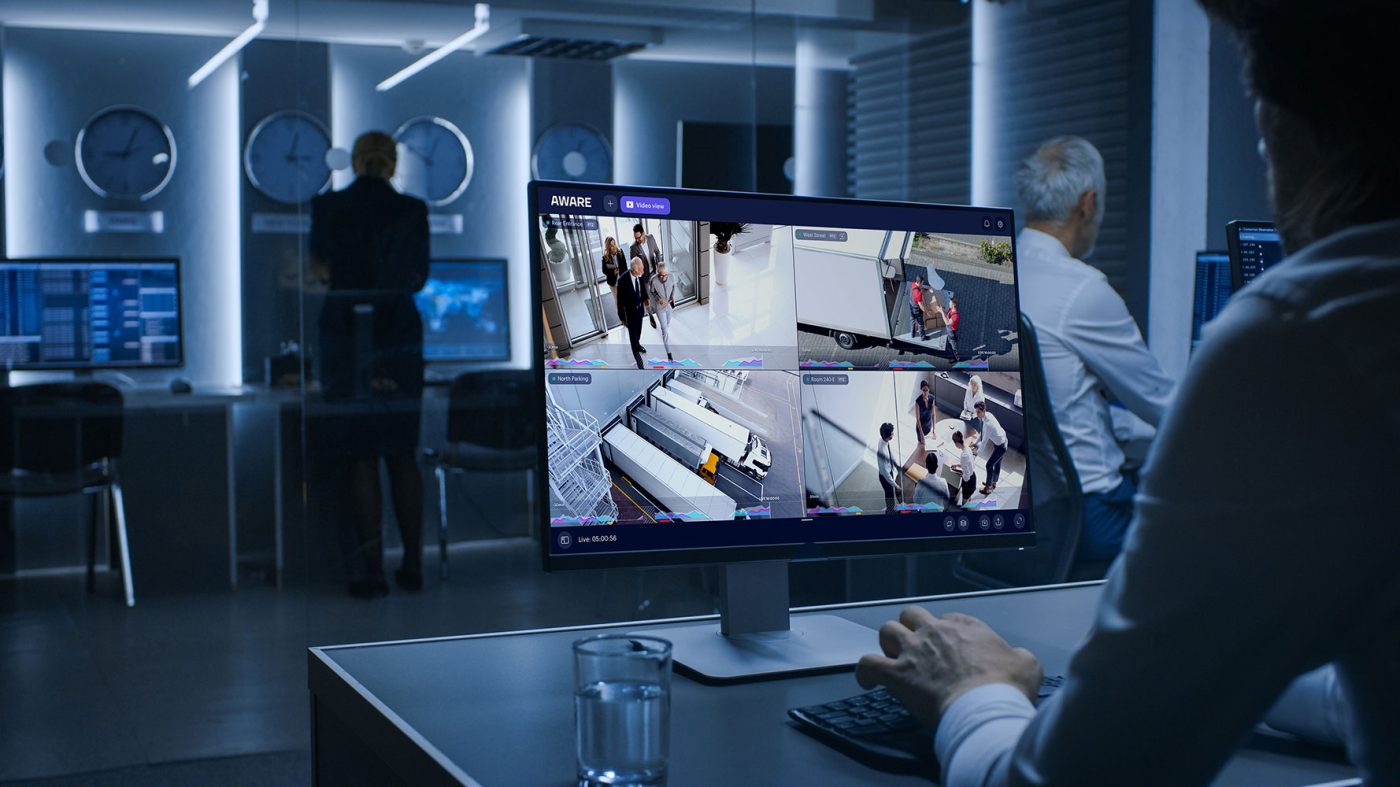
Choosing between cloud-managed security cameras and an on-premises video server is no longer just a technology preference. For many commercial properties, the decision affects cybersecurity, data access, maintenance, scalability, remote viewing, and long-term system management.
A business may want the flexibility of cloud-managed video surveillance because it allows authorized users to access footage from different locations. Another business may prefer an on-premises video server because it wants more direct control over where footage is stored and how the system is managed. Both options can support a strong commercial security plan, but both also come with cyber risks that need to be understood before a decision is made.
For business owners, property managers, and facility teams comparing cloud vs. on-premises security cameras, the best choice depends on how the property operates, who needs access to footage, how much internal IT support is available, and how the business plans to grow over time.
At Sourced Security, we help commercial clients think beyond camera placement alone. A video surveillance system should improve visibility and support incident review, but it should also be designed with data protection, secure access, and ongoing maintenance in mind.
Why Camera Storage Decisions Matter
Modern security cameras are connected systems. They may use network video recorders, cloud dashboards, remote access apps, mobile alerts, and user-based permissions. This connectivity can make video surveillance more useful, but it also means businesses need to think carefully about how video data is stored and protected.
A camera system may capture entrances, parking areas, delivery zones, employee-only areas, storage spaces, shared hallways, and exterior doors. If footage is lost, exposed, or accessed by the wrong person, the issue can affect more than security. It can create privacy concerns, operational disruption, and frustration when footage is needed for incident review.
The storage model plays a major role in how footage is protected. In an on-premises setup, footage is usually stored on a local recorder or server located at the business property. In a cloud-managed setup, footage may be stored fully or partly in a cloud environment managed through an online platform. Some systems use a hybrid approach, where local recording is paired with cloud-based access, alerts, or backup.
There is no universal answer that fits every property. A small commercial office, multi-location business, warehouse, retail property, and managed facility may all have different priorities. The important step is understanding what each model requires from a cybersecurity and maintenance standpoint.
How Cloud-Managed Security Cameras Work
Cloud-managed security camera systems use an online platform to manage video access, storage, updates, users, and system settings. Depending on the system design, footage may be stored in the cloud, stored locally with cloud access, or managed through a combination of both.
The main appeal of cloud-managed systems is convenience. Authorized users can often access footage from a browser or mobile app without being physically present at the property. This can help owners and managers who oversee multiple locations, travel often, or need to review footage quickly when a concern is reported.
Cloud systems may also simplify software updates and user management. Instead of relying only on a local recorder that must be maintained on-site, some cloud-managed platforms provide centralized tools for account permissions, camera health monitoring, and system configuration.
However, the convenience of cloud access also creates responsibilities. Businesses need to use strong passwords, limit user permissions, manage remote access carefully, and understand how their provider protects stored footage. A cloud-managed system should never be treated as automatically secure just because it is newer or easier to use.
How On-Premises Video Servers Work
An on-premises camera system stores footage on a local video server, network video recorder, or storage device at the business property. Cameras send footage to the local system, and authorized users may review footage from a workstation, connected device, or remote access setup if one has been configured.
The main appeal of on-premises storage is control. The business keeps the video server physically located on-site and may have more direct control over storage capacity, network settings, and system access. For some organizations, this feels more familiar and easier to understand than cloud-managed storage.
On-premises systems can be a strong option when a business has internal IT support or a security provider that can maintain the system properly. They may also be useful when internet reliability is a concern, because local recording can continue even if outside connectivity is interrupted, depending on the system design.
However, on-premises does not mean risk-free. A local server still needs updates, secure passwords, controlled access, physical protection, network segmentation, and backup planning. If the recorder is not maintained, if firmware becomes outdated, or if remote access is configured poorly, the system can still create cybersecurity exposure.
Comparing Cyber Risks in Cloud and On-Premises Systems
Cloud and on-premises camera systems have different cyber risk profiles. Cloud systems shift part of the security responsibility to the platform provider, but the business is still responsible for user access, passwords, permissions, and safe usage. On-premises systems give the business more local control, but they also place more responsibility on the business or its IT team to maintain the server and network environment.
With cloud-managed systems, one major concern is account security. If a user has a weak password or an old account remains active after an employee leaves, unauthorized access may become possible. Multi-factor authentication, unique user accounts, and regular permission reviews can help reduce that risk.
Cloud systems also require businesses to understand how video data is transmitted and stored. The provider should use appropriate security controls, but business owners should still ask questions about encryption, access logs, user permissions, retention options, and administrative controls.
With on-premises systems, the risks often involve local maintenance and configuration. A recorder may be installed and then forgotten. Over time, outdated software, unused accounts, exposed ports, weak passwords, and poor network separation can create vulnerabilities. If remote viewing is enabled without careful setup, an on-premises system can become more exposed than expected.
The main difference is not that one option has risk and the other does not. Both require planning. The better option is the one that the business can secure, maintain, and manage consistently.
Data Encryption and Secure Transmission
Encryption is one of the most important topics when comparing cloud vs on premise security cameras. Video footage may need protection while it is moving across a network and while it is stored. This is often described as data in transit and data at rest.
In a cloud-managed system, footage or system data may travel between the camera, local network, cloud platform, and user devices. Secure transmission helps reduce the risk of data being intercepted while moving between those points. Cloud providers may also use encryption for stored footage, but businesses should confirm how that works and who controls access.
In an on-premises system, footage may stay local, but it still moves across the internal network from cameras to the recorder. If remote viewing is enabled, footage may also move outside the property network. This means encryption and secure remote access still matter, even when footage is stored locally.
Businesses should ask how video data is protected during transmission, how stored footage is secured, and what account protections are available. The goal is not to become overly technical, but to understand whether the system includes reasonable safeguards for commercial use.
Sourced Security can help clients evaluate surveillance system design from a practical security standpoint, while broader network and encryption decisions may also involve the business’s IT provider.
Access Control for Video Footage
Who can view footage is just as important as where footage is stored. A business may have cameras in sensitive operational areas, employee-only spaces, customer-facing areas, or exterior locations. Not every employee or vendor should have the same level of access.
Cloud-managed systems often make user access easier to administer because permissions can be managed through a central dashboard. This can be helpful for businesses with multiple locations or several managers. However, it also means account management must be taken seriously. Old users should be removed, shared logins should be avoided, and admin access should be limited.
On-premises systems may also support different user roles, but access management depends on the recorder or video management software. If the system is older or poorly configured, businesses may be more likely to rely on shared logins or broad permissions. That can make it harder to track who accessed footage or changed settings.
A strong access policy should define who can view live footage, who can review recorded footage, who can export clips, and who can make system changes. This applies to both cloud and on-premises systems. The storage model may change how access is managed, but the need for clear permissions does not change.
Maintenance Requirements Over Time
Maintenance is one of the biggest differences between cloud-managed and on-premises camera systems. A cloud-managed system may reduce some local maintenance responsibilities because software updates, platform improvements, and certain security patches may be managed by the provider. This can be helpful for businesses that do not have a dedicated IT department.
However, cloud systems still require local care. Cameras need power, network connectivity, proper placement, and physical protection. User accounts still need to be reviewed. Passwords and permissions still need to be managed. Internet reliability still matters if remote access or cloud storage is part of the system.
On-premises systems often require more direct maintenance. The recorder or server needs software updates, storage checks, hardware monitoring, backup planning, and secure network configuration. If the business has reliable IT support, this may be manageable. If not, the system may slowly become outdated or harder to support.
This is where many businesses underestimate the long-term responsibility of on-premises storage. A local video server may work well when first installed, but it needs ongoing attention. Storage drives can fail. Software can become outdated. User accounts can become stale. Remote access settings can become risky if not reviewed.
The right choice depends partly on how much maintenance responsibility the business is prepared to handle.
Scalability for Growing Properties
Scalability is another important factor. A business may only need a few cameras today, but future needs may include more doors, parking areas, delivery zones, interior spaces, or additional locations.
Cloud-managed systems are often attractive for businesses that expect to scale. Adding cameras, users, or locations may be easier through a centralized platform. Multi-location viewing can also be simpler when the system is designed around cloud access.
On-premises systems can also scale, but expansion may require more local storage, server capacity, licensing, network equipment, and physical installation work. If the original system was not designed with growth in mind, adding cameras later may become more expensive or complicated.
This is why the existing post on designing a scalable security camera system is an important internal link opportunity. A scalable camera system should account for future coverage areas, network capacity, storage needs, and access permissions before the business outgrows the original setup.
Whether a business chooses cloud or on-premises, it should avoid designing only for the immediate need. A good system should support current security goals while leaving room for reasonable growth.
Internet Dependence and Local Reliability
One concern with cloud-managed systems is internet dependence. If a system relies heavily on the cloud for viewing, alerts, or storage, internet outages may affect certain features. Some systems may continue recording locally during an outage, while others may have limited functionality depending on the setup.
Businesses should ask what happens when the internet goes down. Will cameras keep recording? Will footage upload later? Will remote viewing stop temporarily? Will alerts still work? These questions matter for commercial properties that need dependable coverage.
On-premises systems may offer stronger local recording independence because footage is stored on-site. However, remote access and off-site viewing may still depend on internet connectivity. If the business needs managers or monitoring teams to view footage from outside the property, remote access still matters.
This is another reason hybrid systems can be attractive. Some businesses may want local recording for reliability, paired with cloud-managed access or backup for flexibility. The best option depends on the business’s priorities and the system design.
Physical Protection of Video Storage
On-premises systems have a physical storage concern that cloud-managed systems may reduce. If the recorder is stored in an accessible area, someone could potentially unplug it, damage it, remove it, or interfere with it. This can be especially problematic if footage is needed after an incident.
A local recorder should be placed in a secure location with limited access. It should not be left exposed in a public or easily accessible area. The business should also consider power protection, ventilation, and backup procedures.
Cloud storage can reduce the risk of losing footage because of damage to an on-site recorder, but it does not eliminate every concern. Camera connectivity, account access, retention settings, and provider reliability still matter. Businesses should understand how long footage is stored, how it can be retrieved, and who has permission to access it.
For many commercial properties, physical and cybersecurity planning should work together. A video server needs both a secure network configuration and a secure physical location.
Cost Considerations Without Looking Only at Price
Cost is often one of the first questions businesses ask, but a lower upfront price is not always the better long-term value. Cloud-managed systems may involve subscription fees, licensing, storage plans, or recurring platform costs. On-premises systems may involve higher upfront equipment costs, local storage, server maintenance, IT support, and future hardware replacement.
A cloud system may be easier to budget monthly, while an on-premises system may appeal to businesses that prefer to own more of the infrastructure directly. However, both models have ongoing costs.
The better comparison is total responsibility over time. Who handles updates? Who manages storage? Who reviews cybersecurity settings? Who adds or removes users? Who troubleshoots remote access? Who replaces hardware when it fails?
A system that is cheaper upfront may become more costly if it is difficult to maintain or cannot scale with the business. A system with recurring costs may be worthwhile if it reduces internal maintenance and improves usability. The right decision depends on the property, the business model, and the level of support available.
When Cloud-Managed Cameras May Be a Better Fit
Cloud-managed cameras may be a better fit for businesses that need remote access, multi-location visibility, easier user management, and simplified updates. They can be useful for owners or managers who are not always on-site and need a practical way to view footage or manage users from different locations.
They may also be helpful for businesses that do not have strong internal IT support. A cloud platform may reduce some technical maintenance responsibilities, though the business still needs good password practices and account management.
Cloud-managed systems can also support scalability when a business plans to add locations or expand camera coverage over time. The centralized nature of cloud management can make growth easier when the system is designed properly from the start.
However, businesses should carefully review provider security, data access controls, retention options, and account protections. Cloud convenience should not replace due diligence.
When On-Premises Video Servers May Be a Better Fit
On-premises video servers may be a better fit for businesses that want more local control over storage, have reliable IT support, or need local recording that is less dependent on outside connectivity. They may also be preferred by organizations with specific internal policies around where footage is stored.
This model can work well when the business has the resources to maintain the system properly. That means applying updates, monitoring storage health, managing user access, securing remote viewing, and physically protecting the recorder.
On-premises systems can also be useful when a business wants to keep footage within its own facility and has a clear plan for backup and disaster recovery. However, the business should avoid assuming that local storage is automatically safer. Without maintenance, on-premises systems can become outdated and vulnerable.
Why Hybrid Systems Are Worth Considering
For many commercial facilities, the best answer may not be purely cloud or purely on-premises. A hybrid system can combine local recording with cloud-managed access, remote viewing, alerts, or backup features.
This approach may give businesses the reliability of local storage with some of the flexibility of cloud tools. For example, footage may be recorded locally while authorized users access certain views through a secure cloud platform. In other cases, important events may be backed up off-site while the main archive remains local.
Hybrid systems should still be carefully designed. Businesses need to understand where footage is stored, how remote access works, what happens during an internet outage, and who manages user permissions.
A hybrid design can be a strong option when businesses want flexibility but are not ready to rely fully on cloud storage.
Connecting This Decision to Physical Security and Cybersecurity Planning
The decision between cloud and on-premises storage should be part of a broader physical security and cybersecurity planning process. Cameras, access control systems, monitoring tools, user accounts, and networks all work together. A weakness in one area can affect the rest of the system.
This article should link up to the Physical Security Cybersecurity Pillar Page using anchor text such as physical security cybersecurity planning. That internal link helps readers understand that camera storage is one part of a larger cybersecurity conversation around connected security devices.
It should also reference the existing post on designing a scalable security camera system. That connection is important because the cloud vs on-premises decision affects how easily a business can add cameras, manage users, expand storage, or support new locations over time.
Final Thoughts
Cloud vs. on-premises security cameras is not a simple question of modern versus traditional. Both models can work well when they are designed, secured, and maintained properly. Both can also create risk when passwords are weak, access is too broad, updates are ignored, or remote viewing is configured carelessly.
Cloud-managed systems may offer easier remote access, centralized management, and simpler scalability. On-premises systems may offer more local control, direct storage management, and less dependence on cloud storage. Hybrid systems can offer a practical middle ground for some businesses.
The right decision depends on the property, the business’s access needs, cybersecurity expectations, maintenance resources, and growth plans.
Sourced Security helps commercial clients evaluate video surveillance options based on real property needs, operational awareness, access management, and long-term system usability. Whether your business is considering cloud-managed cameras, an on-premises video server, or a hybrid design, the system should support both physical security and data protection from the start.
Contact Sourced Security to discuss commercial video surveillance options and determine which camera system structure makes sense for your facility.