
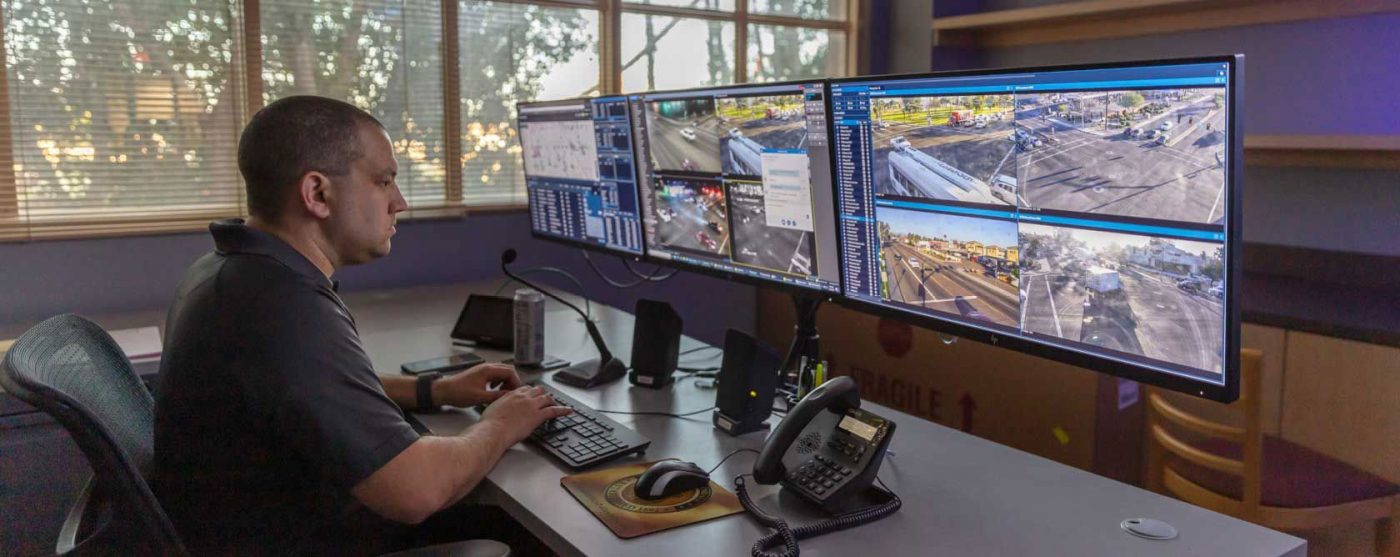
Virtual Guard monitoring, video verification, traditional alarm monitoring, and recorded video surveillance are related security services, but they do not provide the same level of awareness or response.
A Virtual Guard can actively review video events and follow a property-specific response plan. Video verification generally uses camera footage to confirm an alarm after it has been triggered. Traditional alarm monitoring primarily receives signals from devices such as door contacts, motion sensors, or glass-break detectors. Passive video surveillance records footage that can be reviewed after an incident.
The right approach depends on whether your business needs evidence after an event, confirmation before escalation, or active intervention while suspicious activity is still happening.
The Main Difference Is What Happens After Activity Is Detected
Many commercial security systems use similar equipment, including cameras, sensors, alarms, speakers, and remote-access platforms. The important difference is not simply which devices are installed. It is how the system uses those devices when something unusual happens.
A standard camera may record a person walking through a parking lot without notifying anyone. An intrusion alarm may send a signal when a door opens after hours, but the monitoring operator may not be able to see what caused it. Video verification adds visual context to an alarm event. A Virtual Guard Service can go further by reviewing configured activity and following instructions designed for that specific property.
These services can also work together. A commercial property may use recorded surveillance throughout the day, intrusion alarms after closing, video verification for selected alarm events, and Virtual Guard monitoring for higher-risk areas.
The best system is not always the one with the most features. It is the one that gives your business the appropriate level of detection, verification, response, and documentation.
Virtual Guard vs. Video Verification at a Glance
| Security approach | Primary purpose | When review occurs | Typical response |
| Passive video surveillance | Records activity for later review | Usually after an incident is reported | Footage is searched, reviewed, and exported |
| Traditional alarm monitoring | Receives signals from alarm devices | After a sensor or alarm is activated | Operator follows call-list or dispatch procedures |
| Video verification | Adds visual information to an alarm | After an alarm-linked event occurs | Operator reviews footage to determine whether the alarm appears legitimate |
| Virtual Guard monitoring | Provides active remote oversight of selected areas | When configured activity or an integrated event is detected | Operator reviews the situation and may warn, notify, escalate, or document |
Exact capabilities vary by provider, equipment, monitoring schedule, and service agreement. Businesses should confirm what is being monitored, what triggers an operator review, and what actions the operator is authorized to take.
What Is Passive Video Surveillance?
Passive video surveillance records activity without providing an active human response every time movement occurs. Cameras capture footage, which is stored locally, in the cloud, or through another video-management platform.
This approach can be valuable for incident investigation. If a business receives a report of theft, property damage, unauthorized access, a workplace incident, or a slip-and-fall claim, recorded footage may help establish a timeline and show what was visible to the cameras.
However, passive recording is usually reactive. Someone must first become aware of the incident and then locate the relevant footage. By the time the video is reviewed, the person involved may have left the property and the damage may already be done.
Passive surveillance may be appropriate when the primary goal is documentation, operational review, or evidence collection. It may be less suitable when a business needs someone to evaluate suspicious activity and take action while the event is developing.
How Does Traditional Alarm Monitoring Work?
Traditional alarm monitoring begins when a connected alarm device sends a signal to a monitoring center. The signal may come from a motion detector, door contact, glass-break sensor, panic button, or another intrusion-detection device.
The monitoring operator receives information about the type of alarm and the location or zone that triggered it. The operator then follows the procedures associated with the account. This may include contacting the business, calling designated representatives, or requesting an emergency response when appropriate.
Traditional alarm monitoring can provide important notification when a protected door, room, or perimeter is breached. Its limitation is that an alarm signal may not explain exactly what is happening.
A motion sensor can indicate movement, but it may not identify whether the cause is an intruder, an employee working late, a contractor, an animal, or an environmental condition. A door contact can report that a door opened, but it does not necessarily show who opened it or why.
This lack of context can make it harder to determine the correct response without additional information.
What Is Video Verification?
Video verification connects an alarm event with relevant video footage. When an alarm is activated, the monitoring team can review camera images or video associated with the affected area.
The purpose is to determine whether the available footage supports the alarm signal. For example, if a perimeter sensor activates, the operator may review a nearby camera to see whether a person crossed the boundary or whether another condition caused the alert.
This added visual context can help distinguish potentially serious incidents from events that may not require the same level of response. It can also provide useful information about the number of people involved, their location, direction of travel, or the presence of a vehicle.
Video verification is still generally tied to a specific alarm event. The operator reviews the footage because a connected alarm, sensor, or analytic rule triggered the process.
That makes video verification more informative than an alarm signal alone, but it does not automatically provide continuous live monitoring of the entire property. Businesses should confirm whether the service reviews only short event clips, provides access to live video, includes audio capabilities, or allows an operator to take additional action.
What Is Virtual Guard Monitoring?
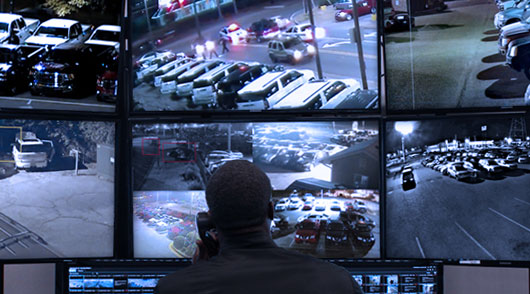
Virtual Guard monitoring provides active remote oversight of selected commercial areas through cameras, analytics, and trained monitoring personnel.
Instead of waiting only for a conventional intrusion alarm, the system can be configured around events that matter to the business. This may include a person entering a restricted area, a vehicle arriving after hours, someone remaining near an entrance, activity around a commercial swimming pool, or movement within an equipment yard.
When configured activity is detected, a monitoring professional can review the available video and follow the response plan established for that property.
Depending on the equipment and agreement, the response may include issuing an audio warning through compatible speakers, contacting an authorized manager, notifying on-site personnel, escalating an urgent event, or documenting what occurred.
Virtual Guard monitoring is more proactive than passive recording because activity can be reviewed while it is happening. It is also broader than basic video verification when the service monitors defined behaviors, zones, or schedules rather than responding only to a conventional alarm signal.
It is important to understand that Virtual Guard Services do not eliminate every risk or replace every on-site responsibility. Cameras can only provide visibility into areas they can clearly see, and some situations require physical intervention by employees, security personnel, maintenance teams, or emergency responders.
Virtual Guard vs. Video Verification: Which Provides More Active Response?
The difference between Virtual Guard monitoring and video verification often comes down to the scope of the service.
Video verification usually answers:
Did the alarm appear to be caused by real activity?
Virtual Guard monitoring may answer a broader set of questions:
What is happening, does it require attention, and what response should follow?
For example, consider a person approaching a fenced equipment yard after business hours.
With passive surveillance, the cameras may record the person for later review.
With traditional alarm monitoring, the monitoring center may receive a signal if the person opens a gate or triggers a perimeter sensor.
With video verification, an operator may review the camera connected to that alarm and confirm that a person is present.
With Virtual Guard monitoring, an operator may review the activity before or during the attempted entry, issue an audio warning when authorized, contact the property’s designated representative, escalate the event according to the site plan, and document the response.
The appropriate model depends on how early the business needs awareness and what actions should be available after an event is identified.
When Passive Recording May Be Enough
Passive video surveillance may be appropriate for lower-risk areas where the main purpose is documentation rather than immediate intervention.
A business may use recorded footage to review:
- Deliveries and vendor arrivals
- Employee entry and departure
- Customer-service disputes
- Property damage
- Loading and unloading activity
- Reported workplace or liability incidents
The system still needs appropriate camera placement, lighting, image quality, storage, cybersecurity, and retention settings. Recording footage does not provide much value if the important area is outside the camera view or the video cannot be located when needed.
Businesses relying on passive surveillance should also establish who is responsible for reviewing footage, how long recordings are retained, and how relevant video is preserved after an incident.
When Alarm Monitoring May Be Appropriate
Traditional alarm monitoring can be a practical option when a business primarily needs notification that a protected opening, room, or system has been activated.
This may include:
- Interior doors after closing
- Secured storage rooms
- Emergency exits
- Offices with predictable operating hours
- Areas protected by motion or glass-break sensors
Alarm monitoring may also serve as one layer within a broader commercial security system. A door contact can provide immediate notification, while cameras add visual context and access-control records show whether a credential was used.
The limitation is that the alarm signal alone may not provide enough information to determine what caused the event. Businesses with frequent legitimate after-hours activity may benefit from adding video verification or a more customized Virtual Guard response.
When Video Verification May Be the Better Fit
Video verification may be suitable when a business wants more context before an alarm is escalated but does not require active oversight of multiple areas.
It can be particularly useful when alarm signals have several possible causes. Reviewing the associated camera footage can help the monitoring team understand whether the event involves a person, vehicle, delivery, employee, weather condition, or another source.
Video verification may be a good middle option for businesses that already have functioning cameras and intrusion alarms but want better information when those alarms activate.
Before selecting the service, ask:
- Which alarm events include video review?
- Does the operator see a short clip or live footage?
- What happens if the relevant camera is offline?
- Can the operator issue an audio warning?
- How are verified and unverified events handled?
- Are video clips and operator actions included in the incident report?
The answers determine whether the service provides the level of response the property actually needs.
When a Virtual Guard Service May Provide More Value
Virtual Guard monitoring may be the stronger choice when a commercial property has broad exterior areas, valuable assets, changing schedules, after-hours exposure, or activity that requires more than a basic alarm signal.
Potential applications include construction sites, parking lots, apartment common areas, commercial pools, marinas, self-storage properties, dealerships, warehouses, manufacturing facilities, loading docks, and equipment yards.
These environments may need monitoring rules that reflect how the property operates. A person near a loading dock during scheduled delivery hours may be expected. The same activity at 2:00 a.m. may require attention. A vehicle entering a dealership service area during the day may be routine, while a vehicle moving through a closed inventory lot after hours may be unusual.
Virtual Guard monitoring allows detection rules, schedules, authorized activity, contact lists, and escalation procedures to be designed around those differences.
This property-specific planning is one of the most important parts of the service. Without clear instructions, even advanced cameras and analytics may generate alerts that lack useful context.
Can These Security Services Work Together?
Yes. Virtual Guard monitoring, video verification, alarm monitoring, access control, and recorded surveillance can operate as parts of the same commercial security strategy.
A connected system may use:
- Access control to manage who can enter
- Door contacts and sensors to identify alarm events
- Video cameras to provide visual context
- Analytics to detect selected activity
- Virtual Guards to review and respond
- Recorded footage to support later investigation
- Incident reports to document actions and outcomes
Integration can reduce the need to evaluate each event using a single source of information. If a door opens after hours, the monitoring team may be able to compare the alarm signal with camera footage and access-control activity before deciding how to respond.
However, integration should not be assumed. Camera compatibility, network capacity, software platforms, system permissions, cybersecurity, audio equipment, and monitoring protocols should all be evaluated before services are connected.
Questions to Ask Before Choosing a Monitoring Model
The most useful comparison begins with the property’s actual risks rather than the name of the service.
Ask which areas need immediate awareness and which only require recorded documentation. Determine whether the business needs monitoring during specific hours, after closing, or around the clock. Identify who should be contacted and what should happen when activity is confirmed.
You should also ask the provider:
- What specifically triggers an operator review?
- Is the service watching live video or only reviewing event clips?
- Can operators issue live or prerecorded warnings?
- What information is required before an event is escalated?
- How are employees, contractors, tenants, and deliveries handled?
- What happens when a camera or network connection goes offline?
- What documentation is provided after an event?
- Can the service work with the existing camera and alarm system?
- How are monitoring rules tested and updated?
Clear answers help prevent misunderstandings about what the service does and does not include.
Choosing the Right Approach for Your Commercial Property
There is no single monitoring model that fits every business.
Passive video surveillance may be enough when the primary objective is evidence and operational review. Traditional alarm monitoring may fit properties that need notification when defined sensors activate. Video verification may provide the additional visual context needed to evaluate alarm events. Virtual Guard monitoring may be more appropriate when the business needs active review, live deterrence, customized escalation, and broader oversight of selected areas.
Some properties will benefit most from combining several of these approaches.
Sourced Security Solutions evaluates commercial properties based on their layout, operating hours, access points, camera coverage, liability concerns, and response needs. The objective is to design a security system that provides useful information and an appropriate response without adding unnecessary complexity.
Frequently Asked Questions
Is a Virtual Guard the same as alarm monitoring?
No. Traditional alarm monitoring generally begins when a connected sensor or alarm device sends a signal to a monitoring center. A Virtual Guard Service uses video, configured event detection, and trained monitoring personnel to review activity and follow a property-specific response plan.
Is video verification the same as live video monitoring?
Not necessarily. Video verification commonly involves reviewing footage associated with a particular alarm event. Live video monitoring may involve broader or more active oversight of selected cameras, zones, behaviors, or schedules. Businesses should confirm exactly when operators review video and what actions they can take.
Does video verification reduce false alarms?
Video verification can provide additional context that helps an operator determine whether an alarm appears to involve real activity. Its effectiveness depends on camera placement, image quality, lighting, system configuration, and whether the relevant area is visible when the alarm occurs.
Can a Virtual Guard issue a warning to someone on the property?
A Virtual Guard may be able to issue a live or prerecorded audio warning when the property has compatible speakers and the response plan authorizes audio intervention. The appropriate response depends on the event, property procedures, and monitoring agreement.
Can Virtual Guard monitoring use existing cameras and alarms?
It may be possible to integrate Virtual Guard monitoring with existing commercial security equipment. A professional assessment is needed to evaluate camera quality, views, nighttime performance, network connectivity, software compatibility, audio capabilities, and system security.
Which service is best for a commercial property?
The right service depends on the property’s risks and required response. Passive recording supports later review, alarm monitoring provides sensor-based notification, video verification adds visual confirmation, and Virtual Guard monitoring supports active review and site-specific intervention. A layered solution may be the most appropriate option for some properties.
Build a Monitoring Strategy Around Your Actual Risks
Choosing between Virtual Guard monitoring, video verification, alarm monitoring, and recorded surveillance should begin with a clear understanding of your property.
Sourced Security Solutions designs and integrates commercial video surveillance, access control, and Virtual Guard systems for businesses in Connecticut and select areas of Rhode Island. We evaluate your current equipment, identify monitoring gaps, and recommend a response model that fits the way your property operates.
Contact Sourced Security Solutions to schedule a commercial security consultation and determine which monitoring approach is right for your business.